Your cart is empty.
Browse plugins
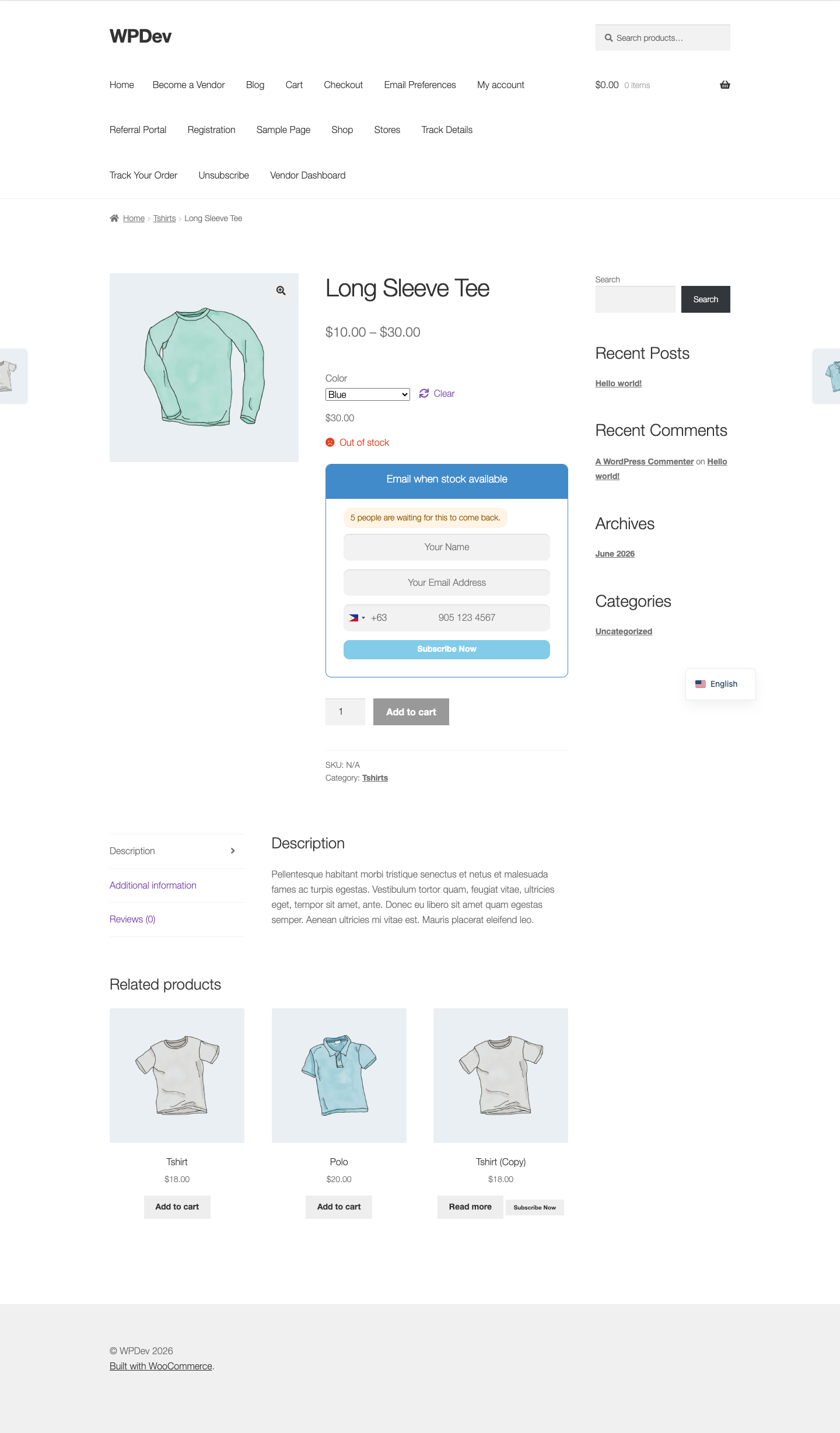
How it works
- The count is stored on the product and refreshed when somebody joins or leaves a waitlist, so displaying it is a meta read rather than a query. A busy product page never counts rows.
- Counts below your minimum are not shown at all. One person waiting reads worse than saying nothing.
- There is no setting to inflate the number and there will not be one. A shopper who joins a waitlist advertised as 127 people and is then told they are fourth has caught you inventing numbers, which costs more than the signup was worth.
Setting it up
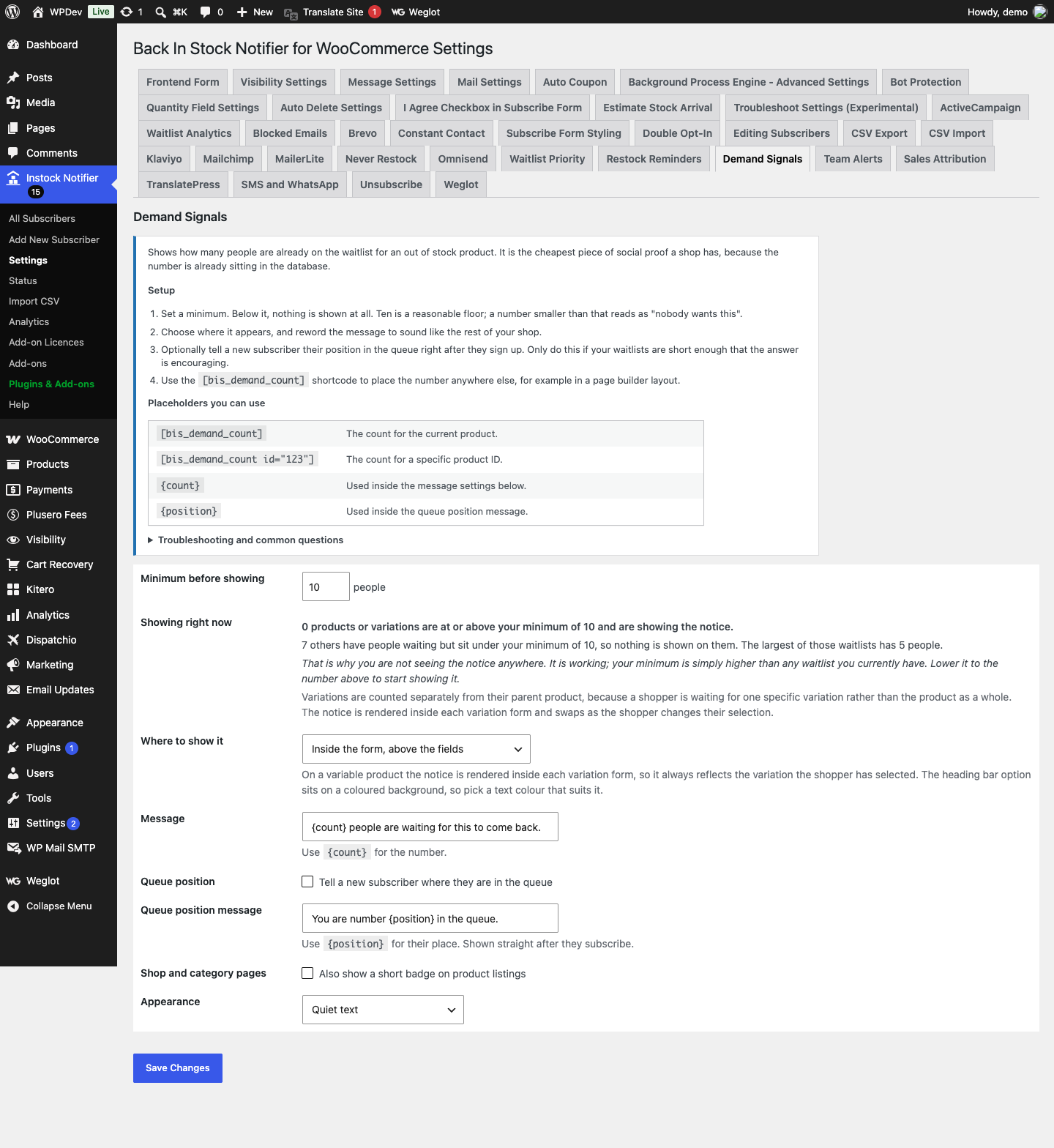
- Set a minimum. Below it, nothing is shown at all. Ten is a reasonable floor; a number smaller than that reads as “nobody wants this”.
- Choose where it appears, and reword the message to sound like the rest of your shop.
- Optionally tell a new subscriber their position in the queue right after they sign up. Only do this if your waitlists are short enough that the answer is encouraging.
- Use the [bis_demand_count] shortcode to place the number anywhere else, for example in a page builder layout.
Shortcodes
[bis_demand_count]The count for the current product.[bis_demand_count id="123"]The count for a specific product ID.{count}Used inside the message settings below.{position}Used inside the queue position message.
Common questions
Can I show a made up number to create urgency? No, and that is deliberate. A shopper who joins a waitlist advertised as 127 people and is then told they are fourth has caught you inventing numbers, and that costs far more than the sign-up was worth. Only real counts are shown.
Nothing is showing on my product page. Look at the “Showing right now” panel above. Nine times out of ten the counts are real but every one of them is under your minimum, so nothing qualifies. The panel tells you the largest waitlist you have, so you can set the minimum to a number that will actually show. On a variable product, also check the specific variation the shopper has selected rather than the parent, because each variation has its own waitlist and its own count.
Does this slow the product page down? No. The count is stored on the product and refreshed when somebody joins or leaves, so displaying it is a meta read rather than a query.
Does it count subscribers who joined before I switched this on? Yes. Switching the add-on on rebuilds every product count from the existing waitlist, so people who signed up long before you enabled it are included.
The number looks wrong. Counts are recalculated on every relevant change and a daily sweep repairs drift, including counts left behind by earlier versions that never decremented when somebody was notified. Nothing is ever left advertising a number that is no longer true.
Data and privacy
- Nothing personal is displayed or stored. The only value written is a count on the product.
- Nothing is sent to any third party.