Your cart is empty.
Browse plugins
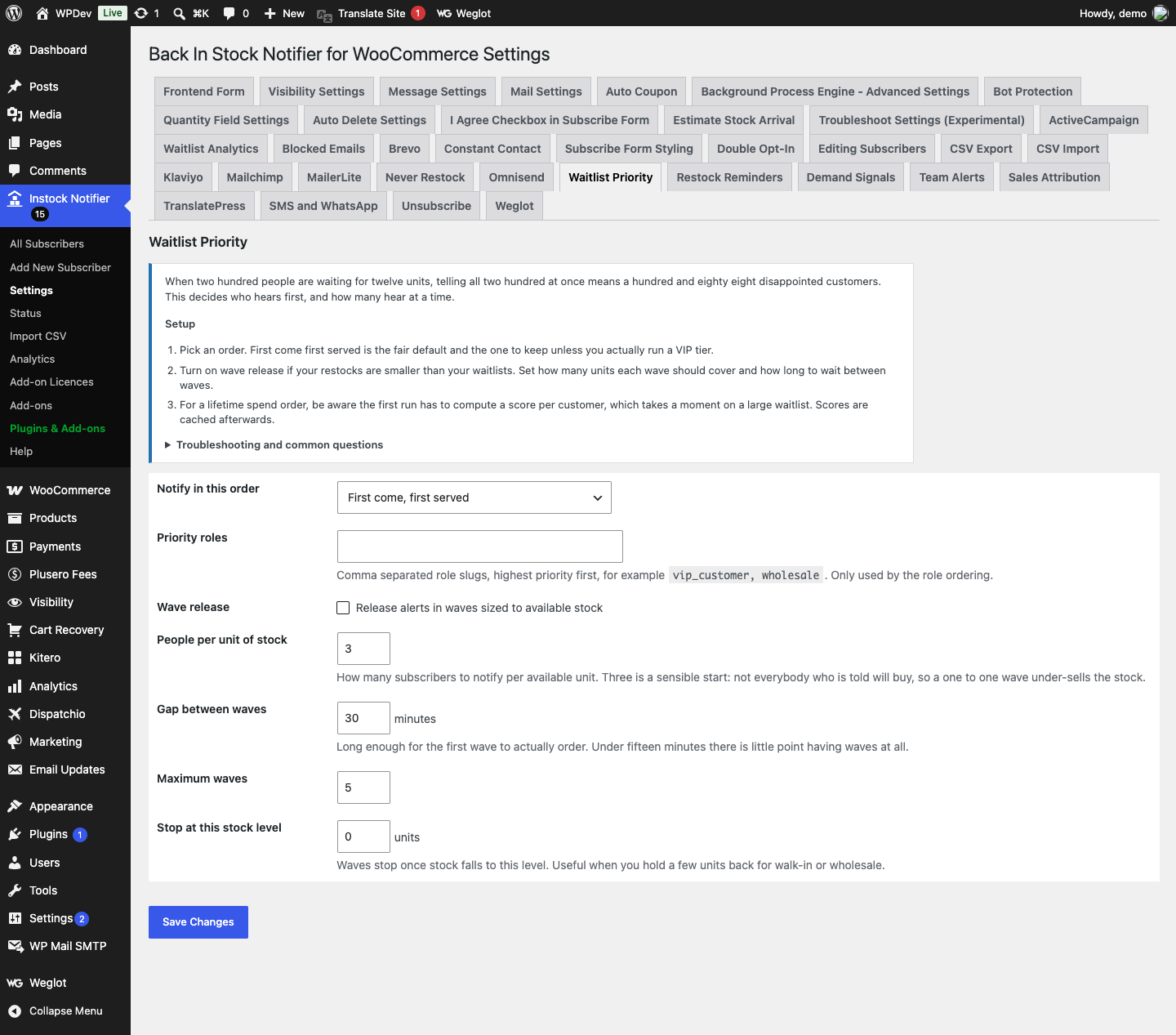
How it works
- Two levers. Order decides who hears first; waves decide how many hear at a time.
- First come first served needs no queries at all: subscriber IDs are sequential, so ascending ID is signup order. The other modes compute a score, which is cached on the row and computed at signup rather than during a restock, so the stock save is never slowed by scoring a large waitlist.
- With waves on, the first batch is sized against available stock times your ratio. The rest are held in a transient and released on a schedule, re-reading stock before each wave. Once the product sells out the remaining waves are cancelled and those subscribers stay on the waitlist for the next restock.
- Released subscribers re-enter the parent plugin notification pipeline rather than being mailed directly, so throttling, queueing and templating behave exactly as they do for a first wave subscriber.
Setting it up
- Pick an order. First come first served is the fair default and the one to keep unless you actually run a VIP tier.
- Turn on wave release if your restocks are smaller than your waitlists. Set how many units each wave should cover and how long to wait between waves.
- For a lifetime spend order, be aware the first run has to compute a score per customer, which takes a moment on a large waitlist. Scores are cached afterwards.
Common questions
How does wave release know when to stop? Stock is re-read before every wave. Once the product is out of stock, or below your reserve, the remaining waves are cancelled and those subscribers stay on the waitlist for the next restock.
What if the product does not manage stock? Wave sizing needs a stock number. Without one the add-on falls back to a fixed wave size and simply paces the sending, which is still useful for deliverability.
Is ordering by spend fair? That is a commercial decision, not a technical one. It rewards existing customers and it disadvantages someone who happened to sign up first. Many stores keep first come first served precisely because it is easier to defend.
Does this work with the queue in the parent plugin? Yes. This decides the order and the batching of who enters the queue; the parent plugin still handles the actual sending.
Data and privacy
- Stored per subscriber: a cached numeric priority score. For spend ordering this is their WooCommerce lifetime total, so treat it as commercially sensitive.
- Held temporarily: the list of subscriber IDs awaiting later waves, per product, expiring after a day.
- Nothing is sent to any third party.