
Your cart is empty.
Browse plugins
Description
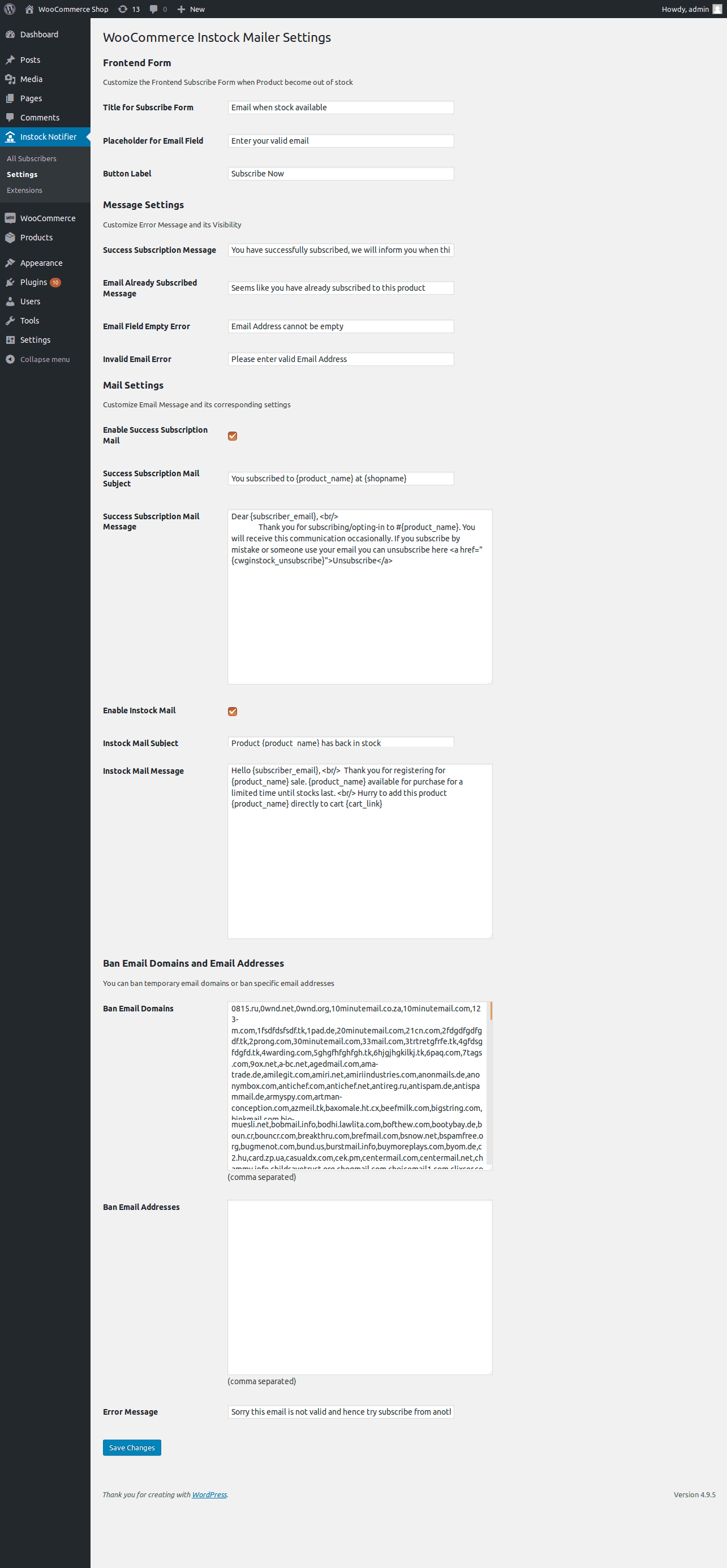
Banning the email domains completely also specific email address. Why it is essentials now a days disposable email domains are serious heck to the site owners to conclude that user is authentic. Once you install this add-on we prefill set of disposable email domains//public email domains to avoid entering specific domain one by one.
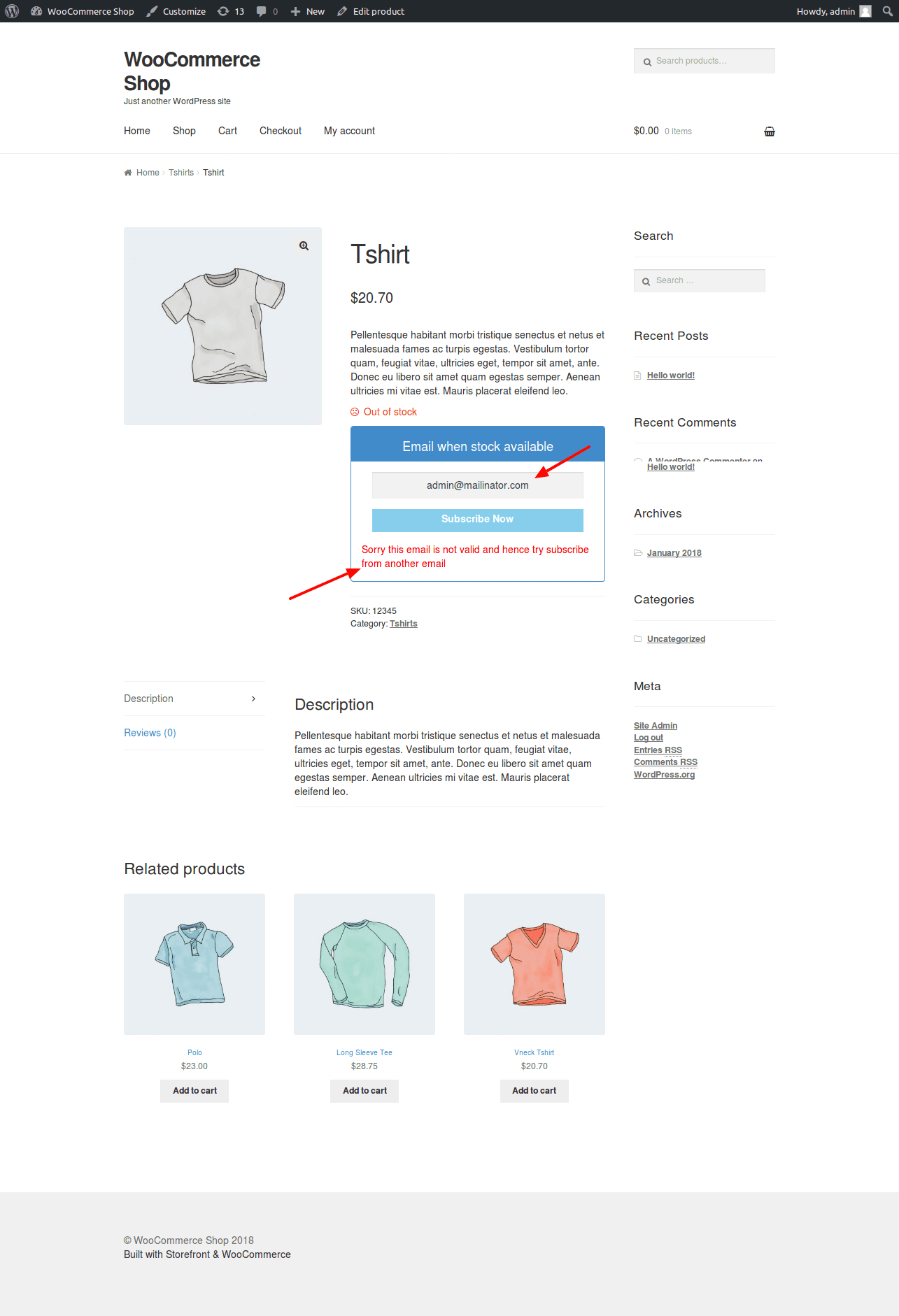
We also provide specific email address to ban, for example some user email was used to subscribe continuously, what will be the best option to avoid this situation. We think this Add-on will solve this problem. It keep check with banned email domains and specific email address and if problem triggers we will show error message based on configuration.
Minimum Requiremets
- PHP 5.3 or above
- WordPress 4.7 or above
- WooCommerce 2.6 or above
- Back In Stock Notifier for WooCommerce 1.0 or above
Installation
Installation for Ban Email Add-on can done by manual process. After your successful purchase you can able to download Ban Email add-on in zip file format. You can simply upload the zip file to wordpress by the following process
- Go to Admin Dashboard Navigate it to Plugins -> Add New
- In there click Upload Plugin -> Select your Downloaded Zip File of Ban Email Add-on
- Install and Activate it
- Go to Instock Notifier -> Settings -> Ban Email Settings(section) for further customization
Changelog

Version 1.1 on 24th March 2025

New: Auto Update and License Activation added

New: Spam Filter added additionally


Version 1.0

-Initial Release
Additional information
| License | Starter License, Growth License, Ultimate License |
|---|
Related products

Back In stock Notifier for WooCommerce: Add-ons
Edit Subscribers - Back In Stock Notifier for WooCommerce
From
$19.00
One-time

Back In stock Notifier for WooCommerce: Add-ons
Bundle Add-ons - Back In Stock Notifier for WooCommerce
Get all 15 add-ons for the Back in Stock Notifier plugin, plus future add-ons, in one…
From
$49.00
One-time

Back In stock Notifier for WooCommerce: Add-ons
Track Sales - Back In Stock Notifier for WooCommerce
Track Sales is an add-on for Back In Stock Notifier. Using this Add-on you can track…
From
$19.00
One-time