
Your cart is empty.
Browse plugins
Description
Plusero – Extra Fees for WooCommerce Pro
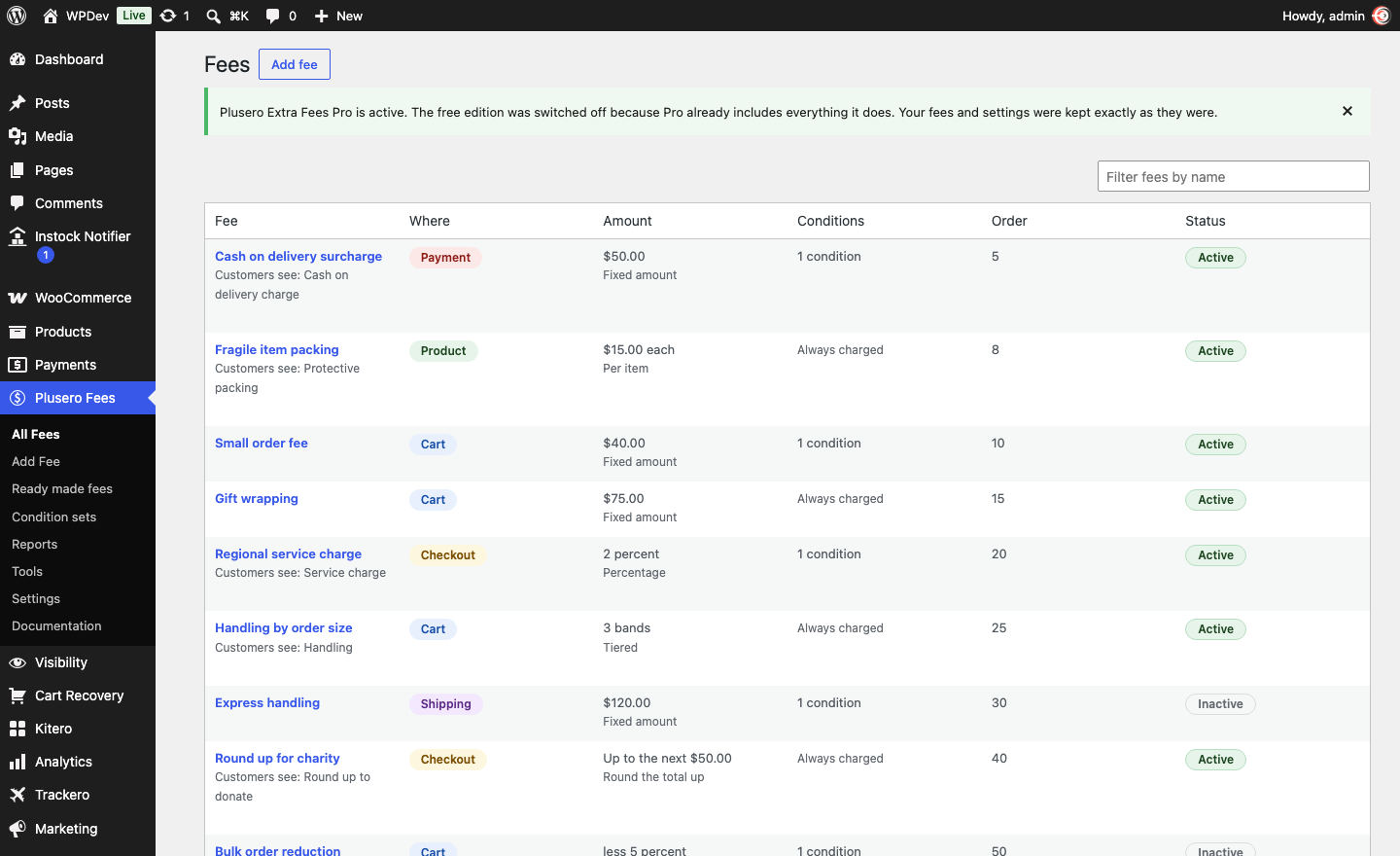
Charge what an order actually costs you
Some orders cost more to fulfil than others. Cash on delivery ties up a courier and comes back more often. A small basket costs the same to pick and pack as a large one. Fragile stock needs real packaging. Card processing takes its cut whatever you charge.
Plusero Extra Fees turns each of those into a rule you write once. You say where the fee applies, when it applies, how much it comes to and what the customer sees. From then on it applies itself.
It replaces the pile of snippets and single purpose fee plugins most shops end up with, and it does it without touching your product prices. Fees appear as their own line in the totals, so a customer can always see what they are paying for and why.
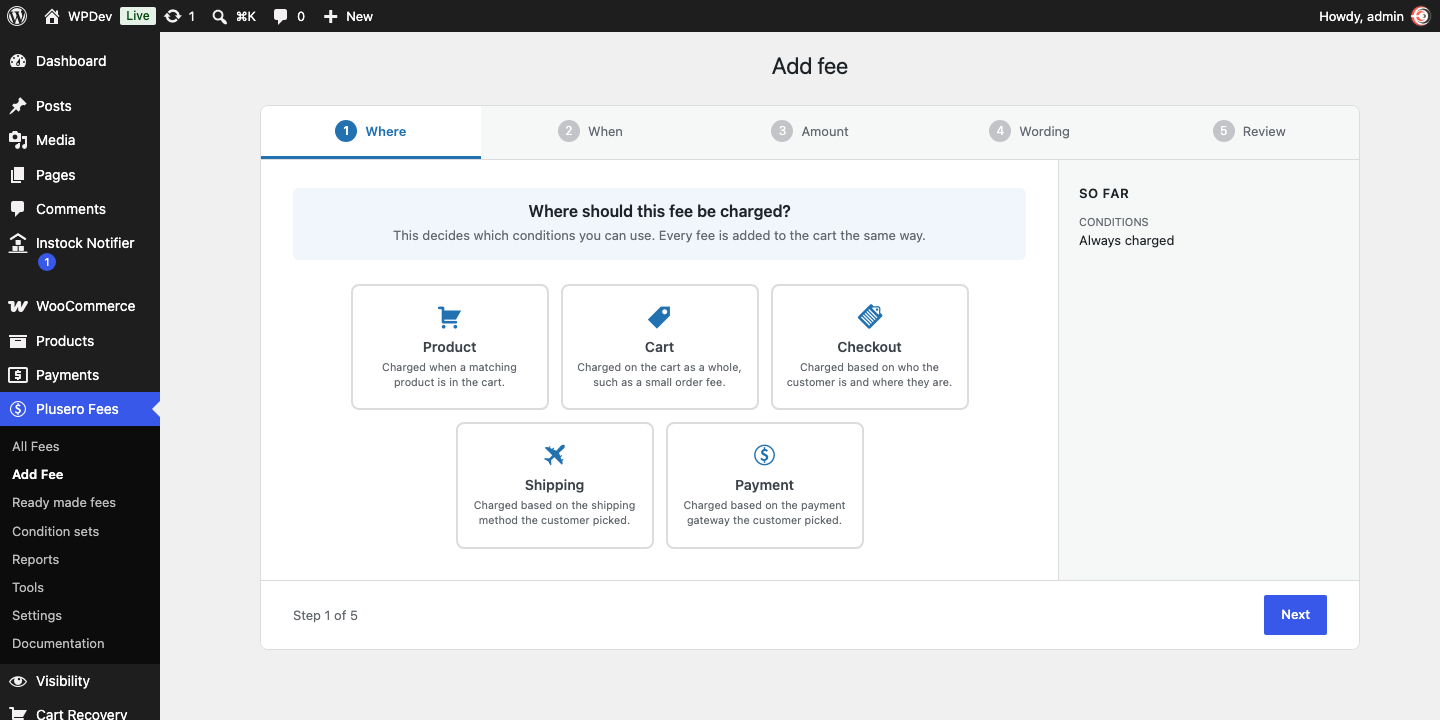
Five places a fee can apply
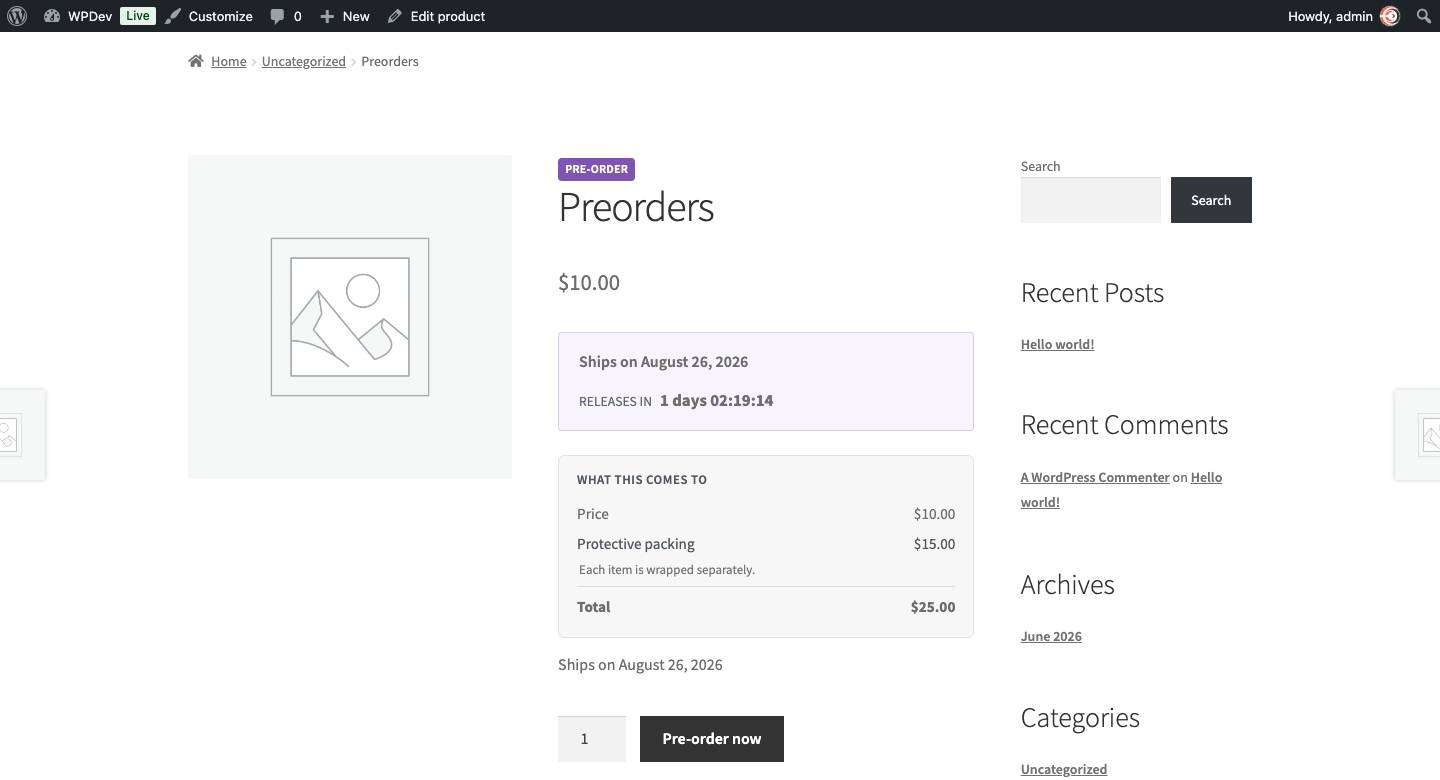
Product fees. Charged on the products they match. Packaging on fragile stock, gift wrapping, insurance on high value items, a handling charge on one category. A percentage product fee is worked out from the matching products, not from the whole basket, and the product page shows the same figure the cart will charge.
Cart fees. Charged on the basket as a whole. Small order fees, bulk handling, weight based charges.
Checkout fees. Charged on who the customer is and where they are. Regional service charges, fees by customer role, fees for first time buyers.
Shipping fees. Charged on the shipping method the customer picked. Express handling, cold chain, oversized carriage.
Payment fees. Charged on the gateway the customer picked. Cash on delivery surcharges, card processing costs. The total updates the moment they switch between payment methods, so nothing appears as a surprise on the final screen.
Eighteen ways to decide when a fee applies
The basket Cart subtotal, total quantity, total weight, number of different items, coupon used.
The products A specific product or variation, a category, a tag.
The customer Role, signed in or shopping as a guest, how many orders they have placed before.
Where it is going Billing country, billing state, billing postcode, shipping country. Postcode rules can match on “starts with”, so one line covers a whole area.
What they chose at checkout Shipping method, payment gateway.
When Day of the week.
Conditions combine into groups. Inside a group you choose whether all of them have to match or any one will do. Between groups it is always all, which lets you write a rule that needs one thing to be true and any of several others.
Charge this only when the country is India, and the customer is either paying cash on delivery or spending under 500.
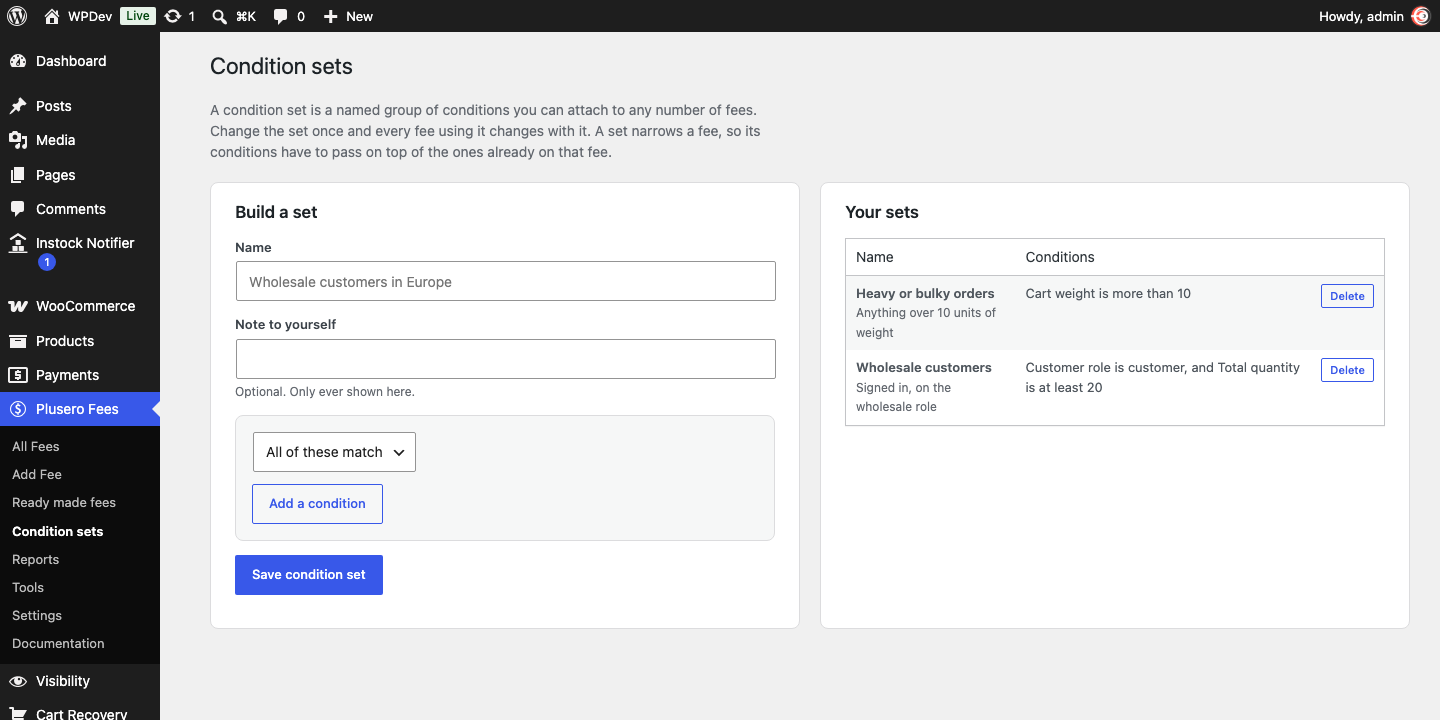
Reusable condition sets. Name a group of conditions once, then attach it to as many fees as you like. Change the set and every fee using it changes with it. No more editing the same five rules across eight fees.
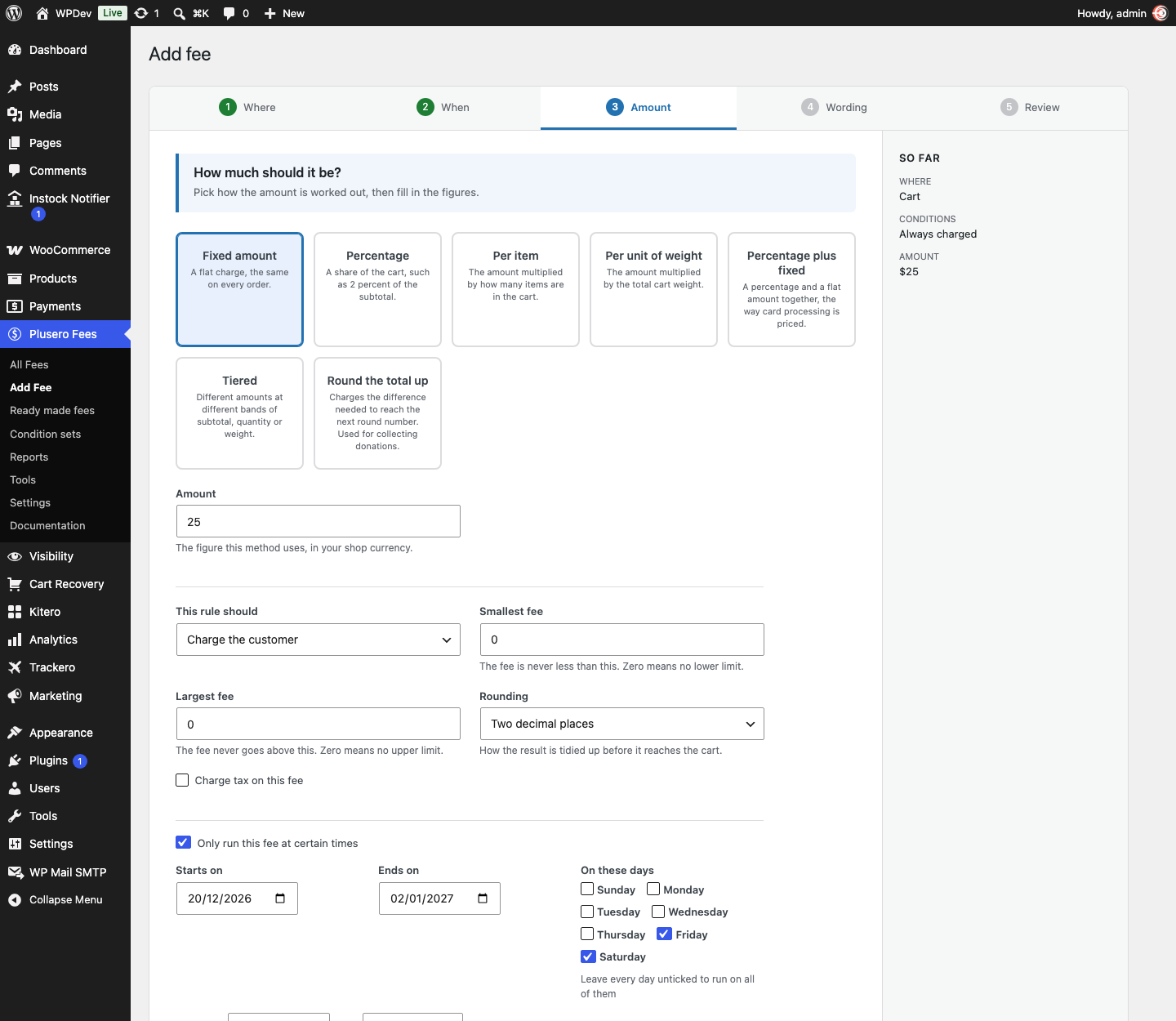
Scheduling. Run a fee between two dates, on set days of the week, and only inside a window of hours. A holiday surcharge that switches itself on and off, or a weekend delivery fee that only runs Friday to Sunday evening.
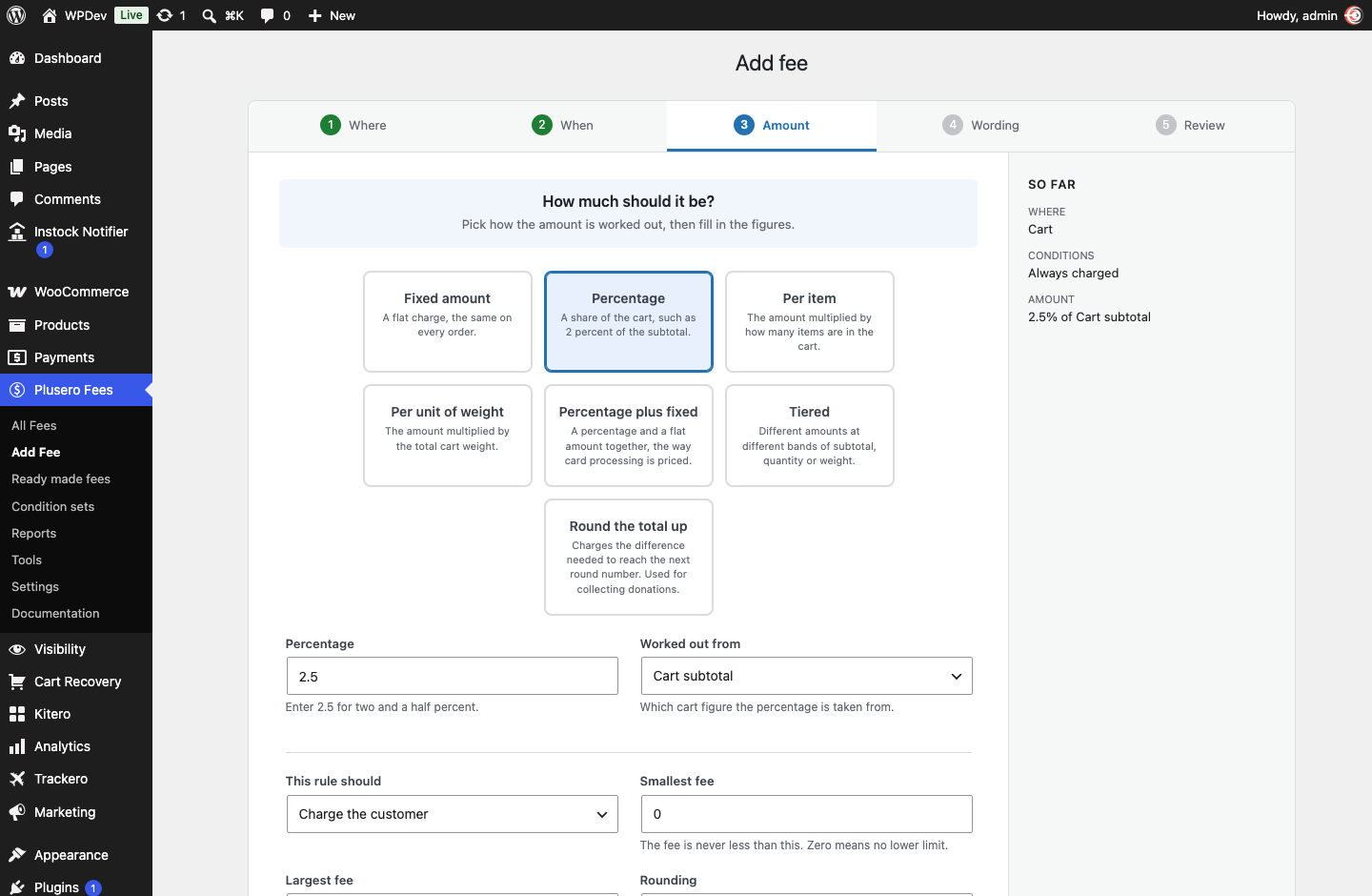
Seven ways to work out the amount
| Method | What it does |
|---|---|
| Fixed amount | A flat charge, the same on every order |
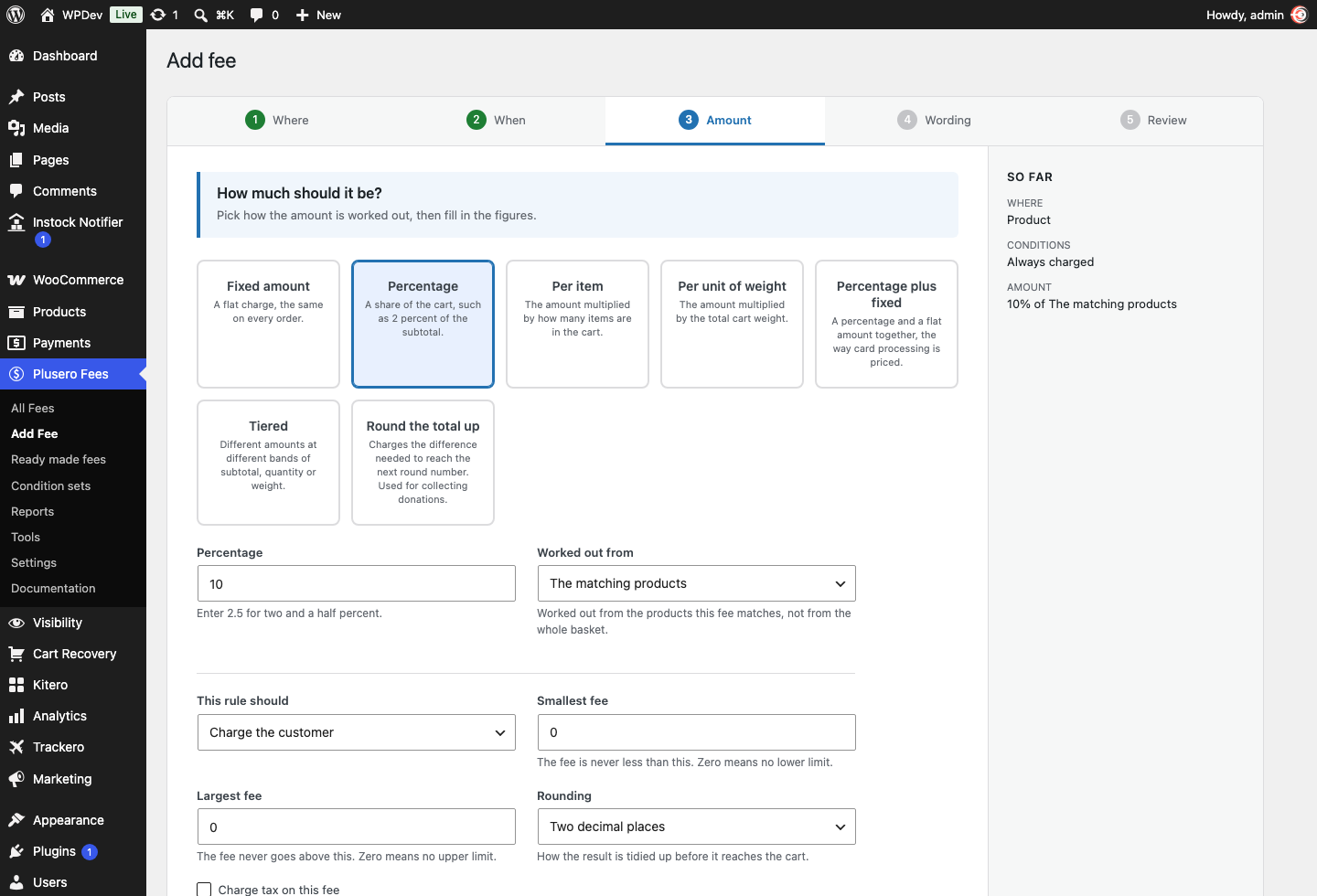
| Percentage | A share of the cart, or of the matching products on a product fee |
| Percentage plus fixed | The way card processors price their own charges |
| Per item | The amount multiplied by how many items are in scope |
| Per unit of weight | The amount multiplied by the weight in scope |
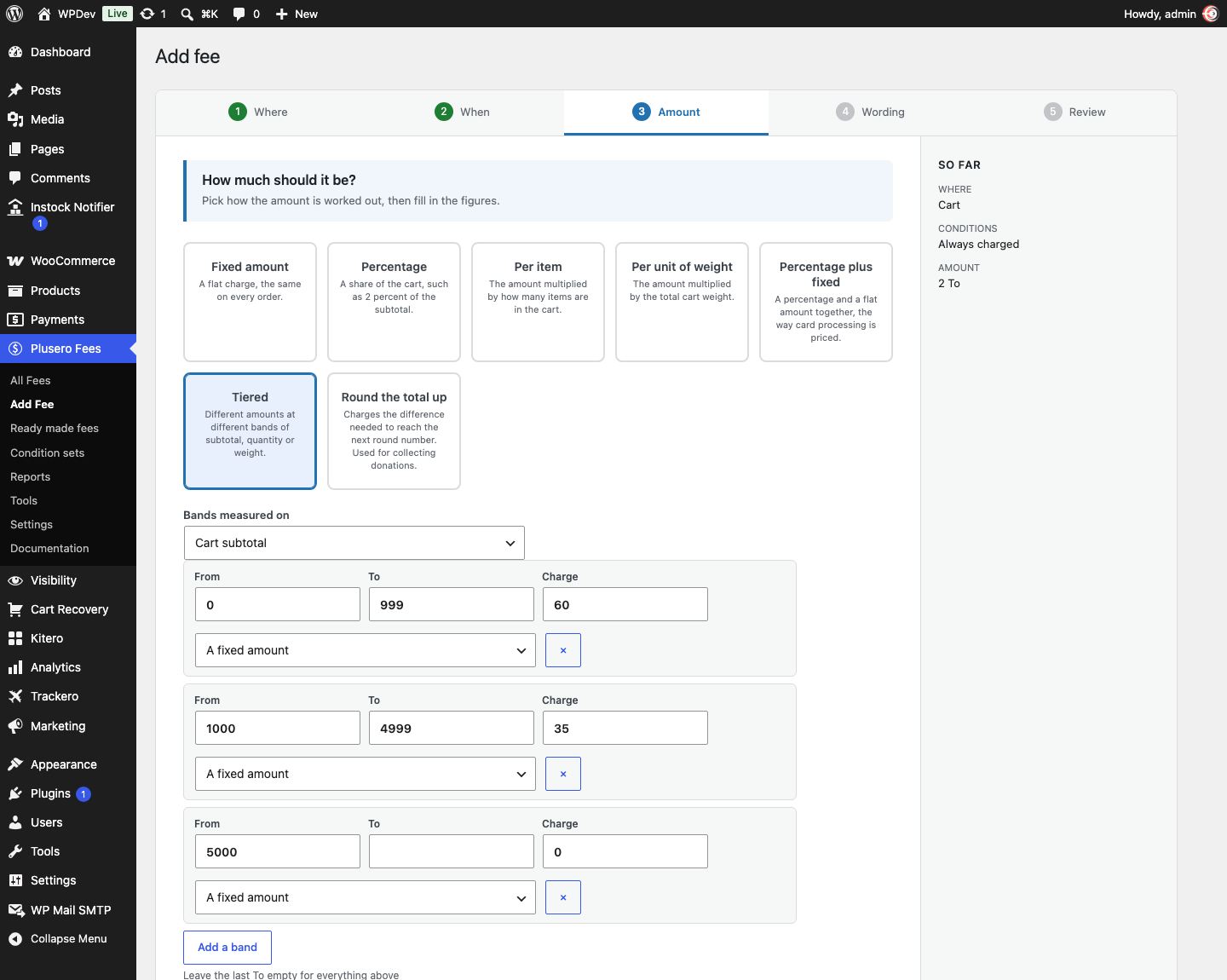
| Tiered bands | Different amounts at different bands of subtotal, quantity or weight |
| Round the total up | Charges the difference to the next round number |
Tiered bands are a table of ranges, each with its own amount. Handling that costs 60 under 1000, 35 between 1000 and 5000, and nothing above that. Measure the bands against the subtotal, the quantity or the weight.
Round the total up collects the difference between the basket and the next round figure. Paired with an optional fee it becomes a round up for charity that customers opt into, and a basket already sitting on a round number is charged nothing at all.
Charge or reduce. Every rule can apply as a reduction instead of a charge. The amount is worked out exactly the same way and lands as a negative line, which is how you build a bulk order saving or a loyalty discount without touching coupons.
Every method also takes a smallest and largest amount, a rounding choice, and a tax setting that follows your WooCommerce tax classes.
Fees the customer chooses
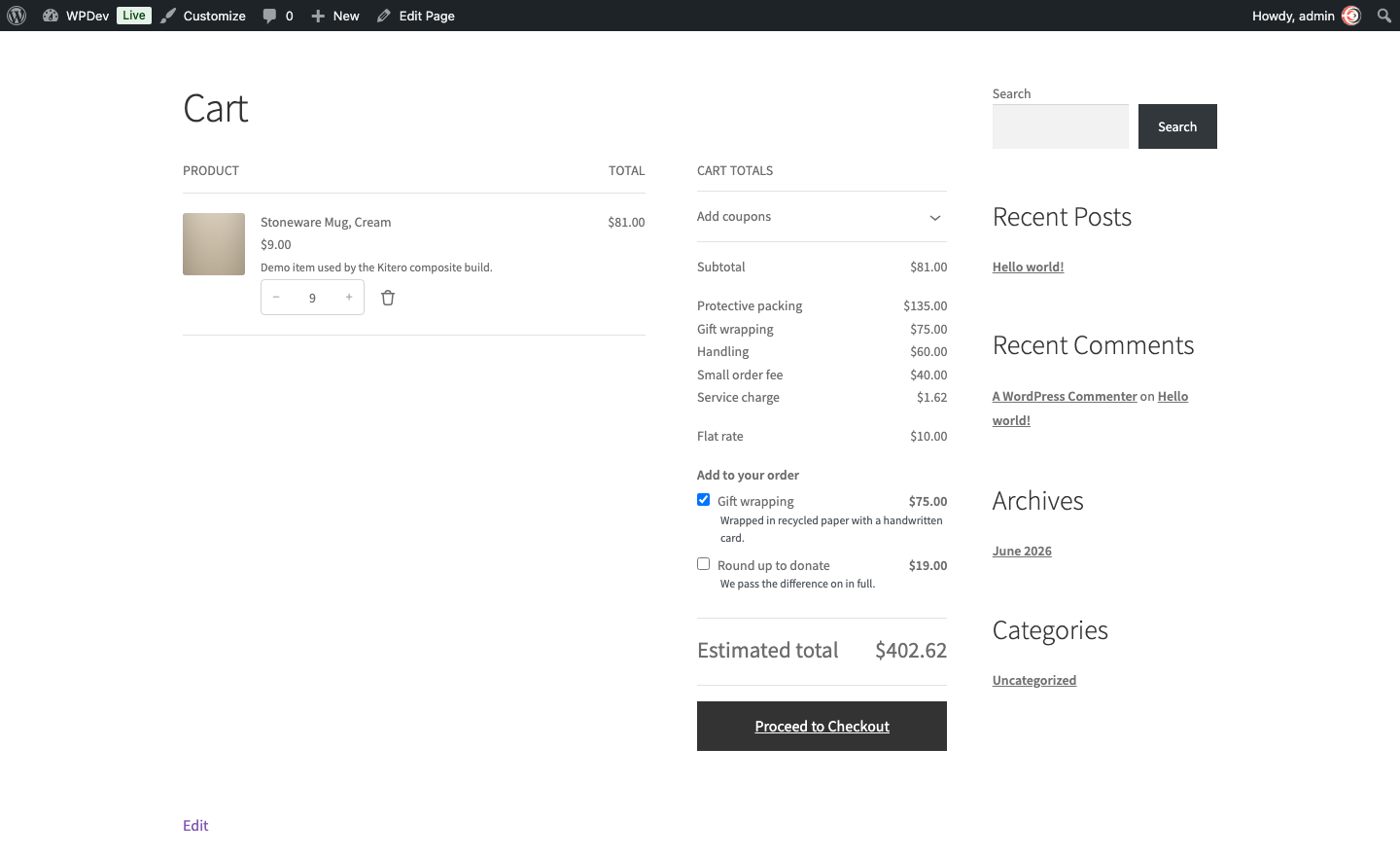
Mark a fee optional and it stops being a charge and becomes an offer. It appears as a tick box in the cart and checkout totals, under “Add to your order”.
Gift wrapping. Express handling. Insurance. A carbon offset. A donation.
The tick box only appears when the rest of the fee conditions already match, so a gift wrapping option limited to one category stays out of the way everywhere else. Ticking it updates the totals immediately. This works on the classic cart and checkout and on the block cart and checkout.
Control across the whole order
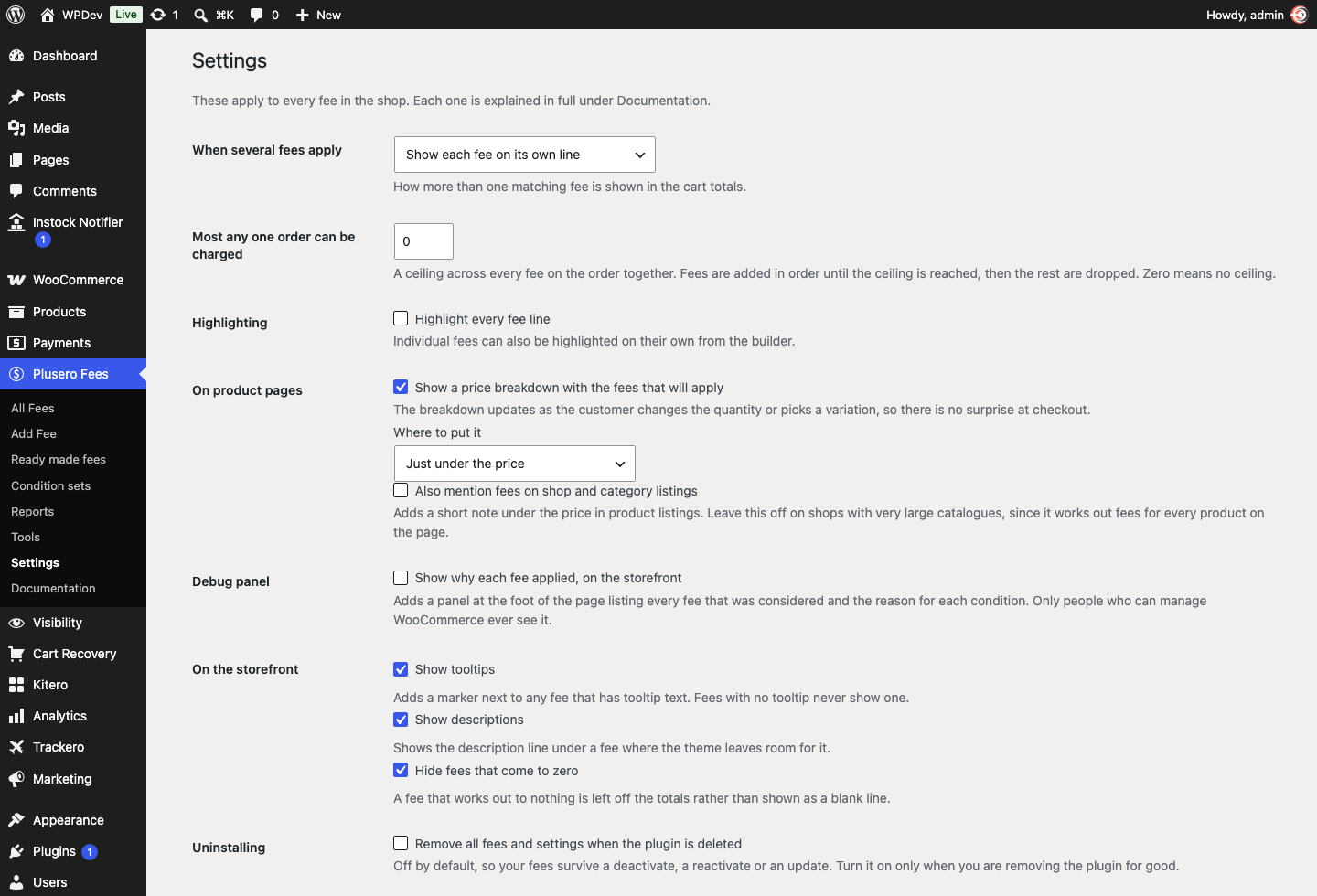
Show them your way. One line per fee, all of them added into a single line with a name you choose, or grouped by where they came from. Group names are yours to set and they translate.
Charge only the first match. When you have several versions of one idea, only the first one that matches lands.
Cap the total. Set a ceiling on the fees any one order can carry. Fees are added in order until the ceiling is reached, and the fee that crosses it is trimmed to fit exactly rather than dropped.
Highlight. Draw attention to one fee, or to all of them.
On the product page
A live price breakdown that updates as the shopper changes the quantity or picks a variation, so the fee is never a surprise at checkout. Put it under the price, around the add to cart button, or at the end of the summary.
Optionally mention fees in shop and category listings too. The product edit screen gains a box showing which fees currently apply to that product.
Knowing what is happening
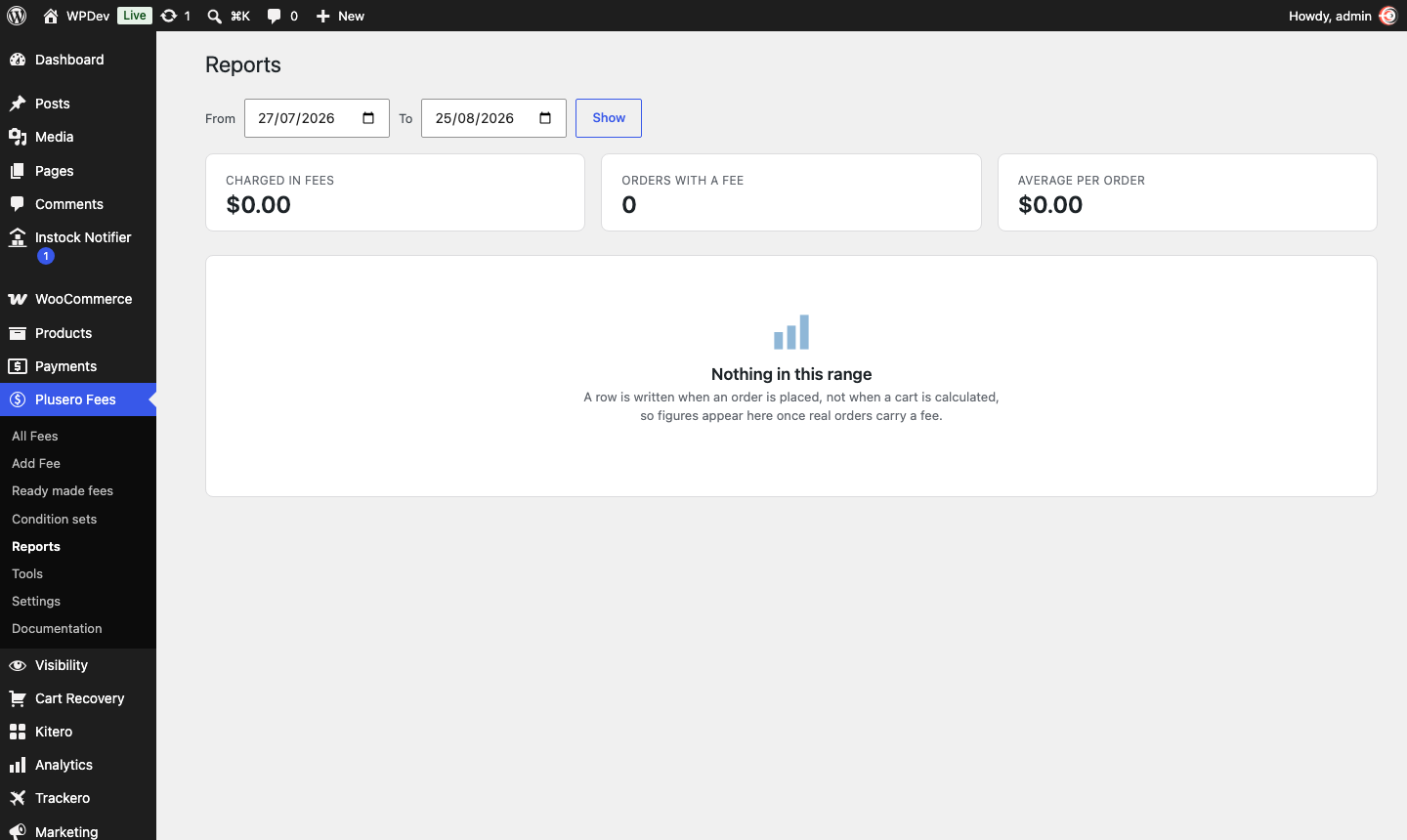
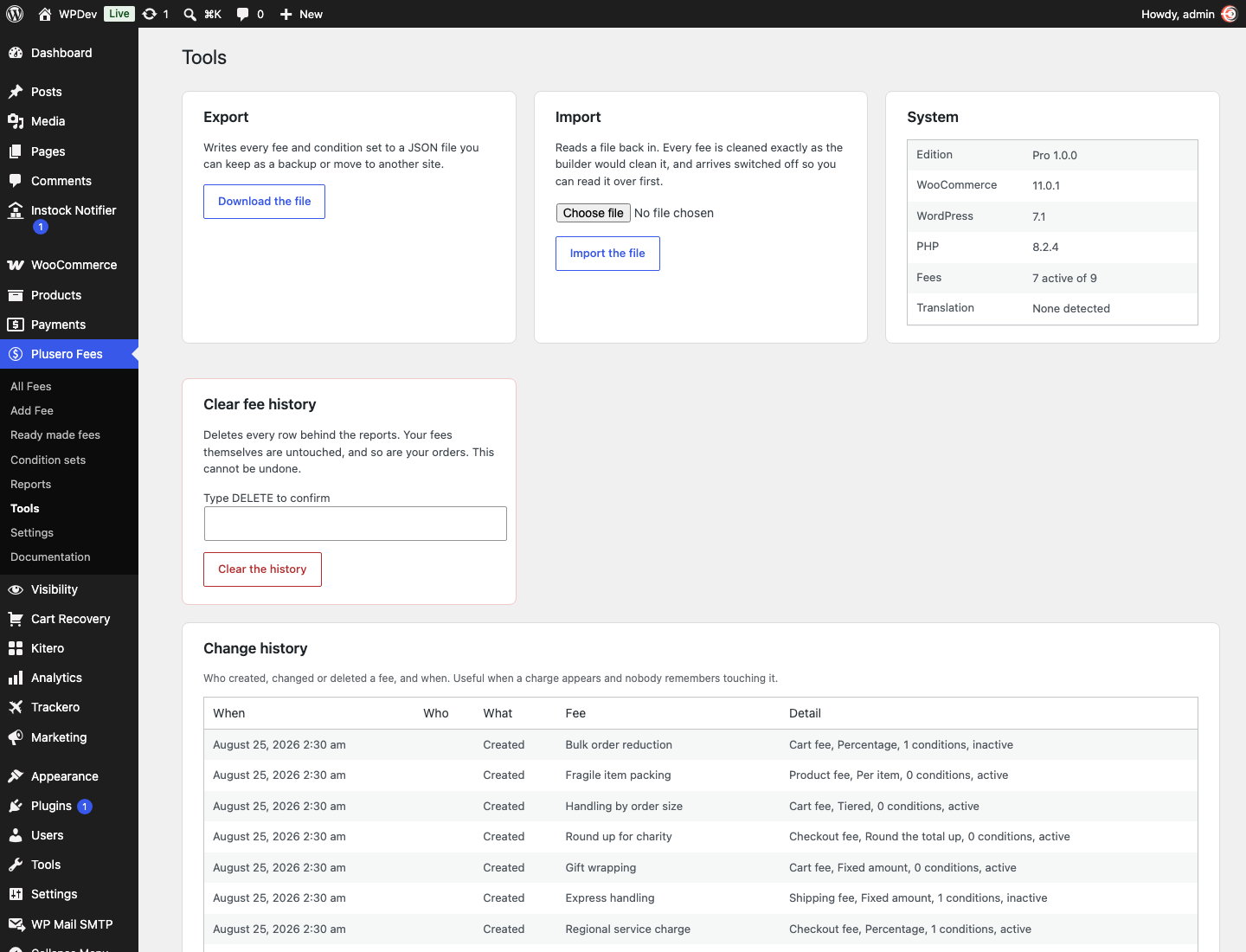
Reports. What each fee earned over any date range, with a chart by day, a table by fee, and a CSV download for your accountant. Rows are written when an order is placed, not when a cart is calculated, so the figures reflect real money.
Change history. Who created, changed or deleted a fee, and when. On a shop where more than one person can edit fees, this is the fastest way to answer why a charge appeared.
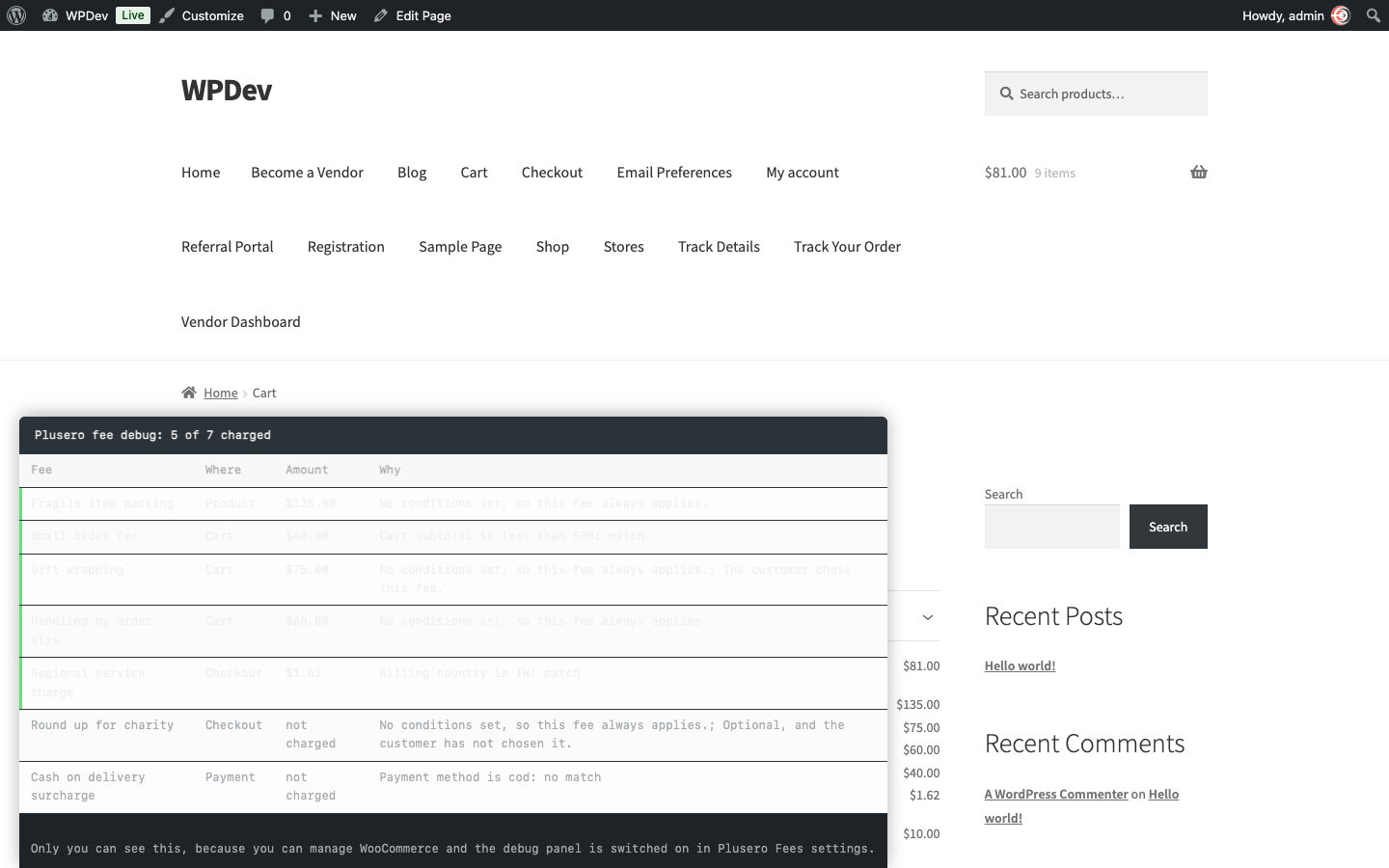
Debug panel. Switch it on and see, on your own storefront, every fee that was considered, whether it was charged, and the reason each condition passed or failed. Only people who can manage WooCommerce ever see it.
Set up in minutes, not evenings
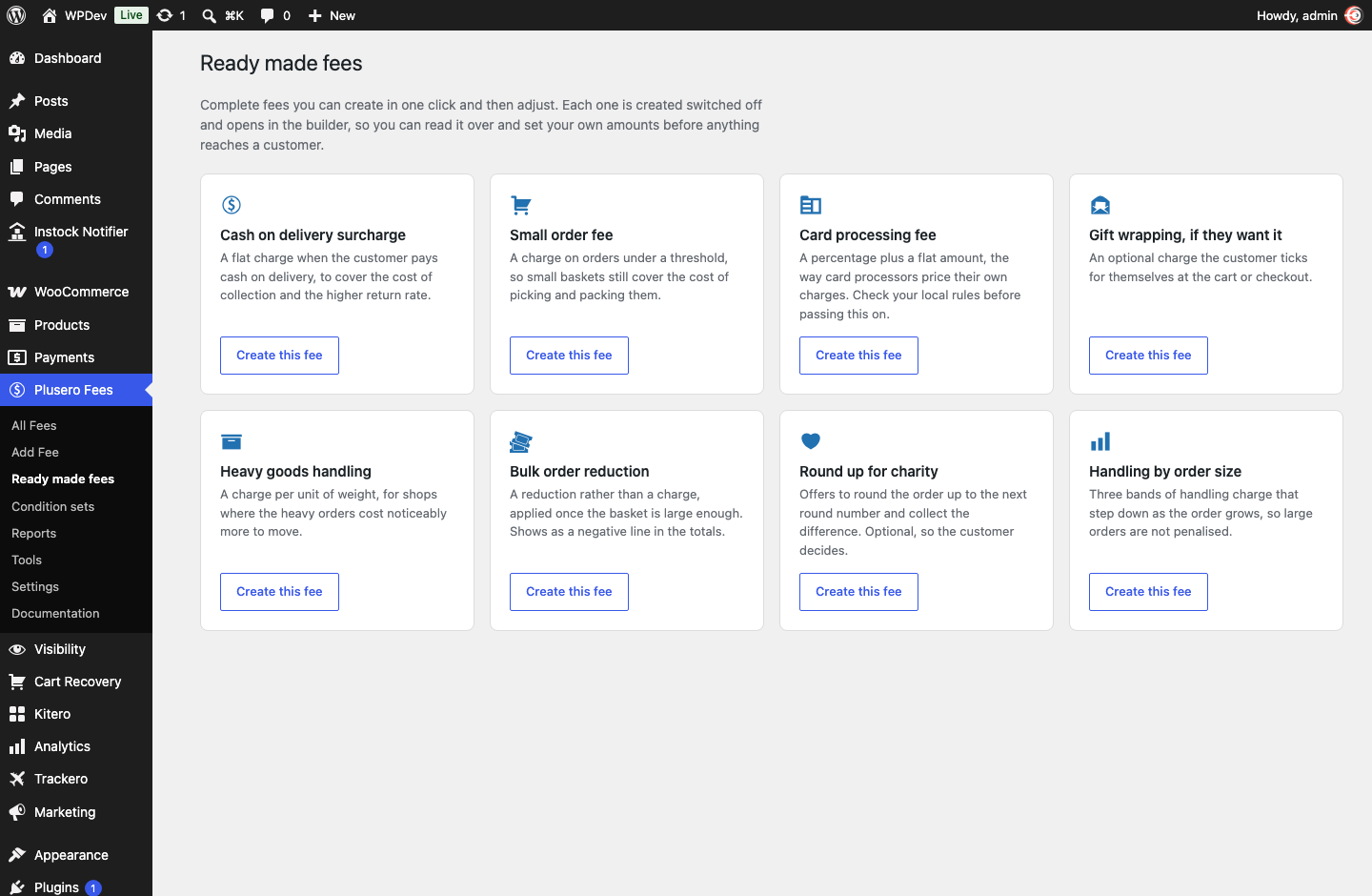
Eight ready made fees, each one click away and each created switched off so you can read it over first: cash on delivery surcharge, small order fee, card processing, gift wrapping, heavy goods handling, bulk order reduction, round up for charity, and handling by order size.
Import and export. Move every fee and condition set between sites as a JSON file. Build on staging, ship to live. Imported fees arrive switched off.
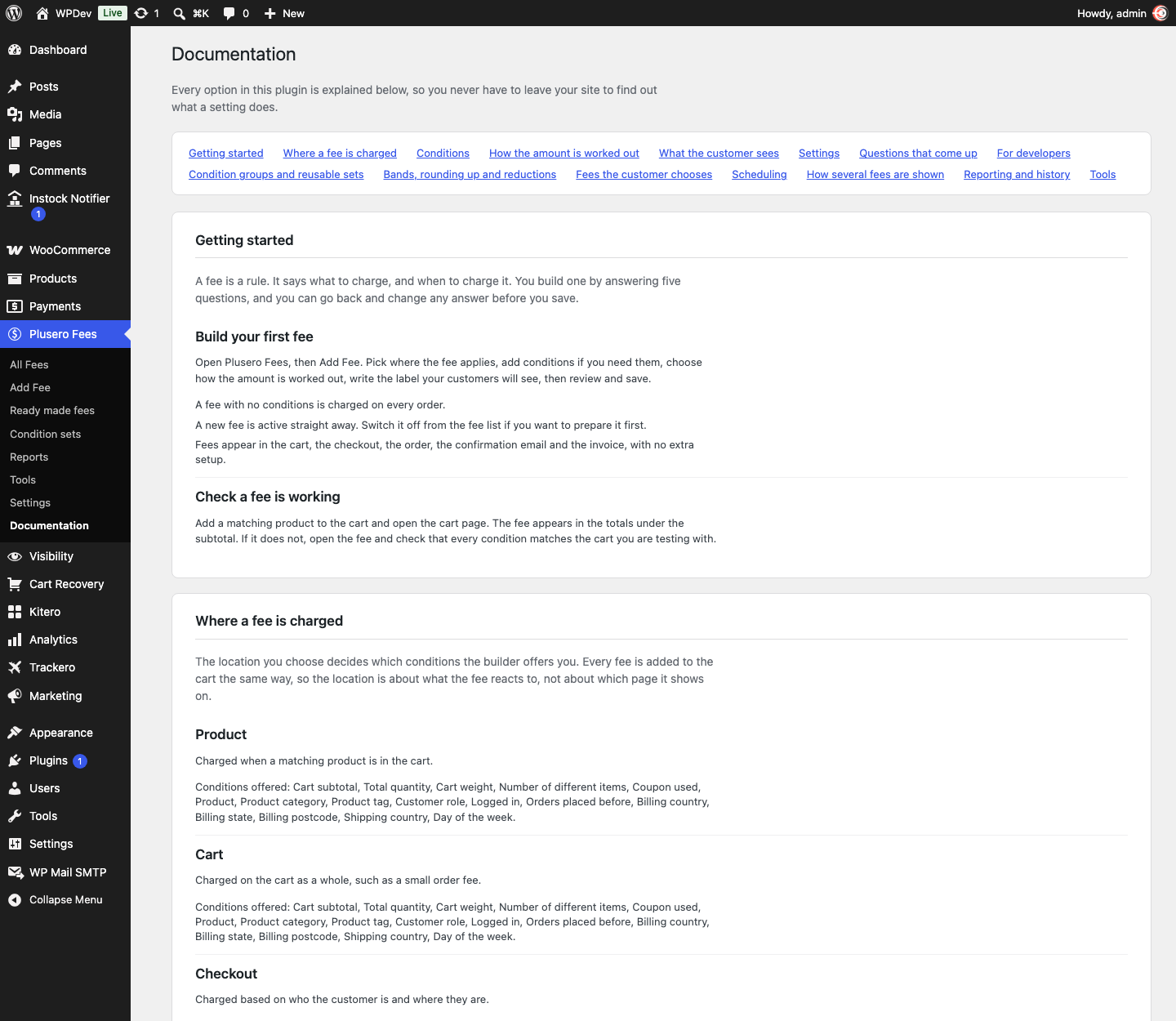
Built in documentation. Every option is explained inside your dashboard, under Plusero Fees, Documentation. You never have to leave your site to find out what a setting does.
Works where WooCommerce works
The classic cart and checkout, the block cart and checkout, and the Store API all show the same totals. Fees flow through to the order, the confirmation email and PDF invoices with no extra setup.
High Performance Order Storage. WooCommerce Subscriptions. Aelia, WOOCS and CURCY currency switchers. WP Rocket, W3 Total Cache, WP Super Cache, LiteSpeed and Autoptimize.
Multilingual. Fee labels, descriptions and tooltips register with WPML and Polylang automatically when you save a fee, so they translate alongside the rest of your shop.
For developers. The whole plugin is built on filters. Register your own condition, your own calculation method, or change a finished amount, from a theme or a small plugin of your own. There is a REST endpoint for asking what a product costs once its fees are added, which suits a headless storefront or an app.
Building a fee
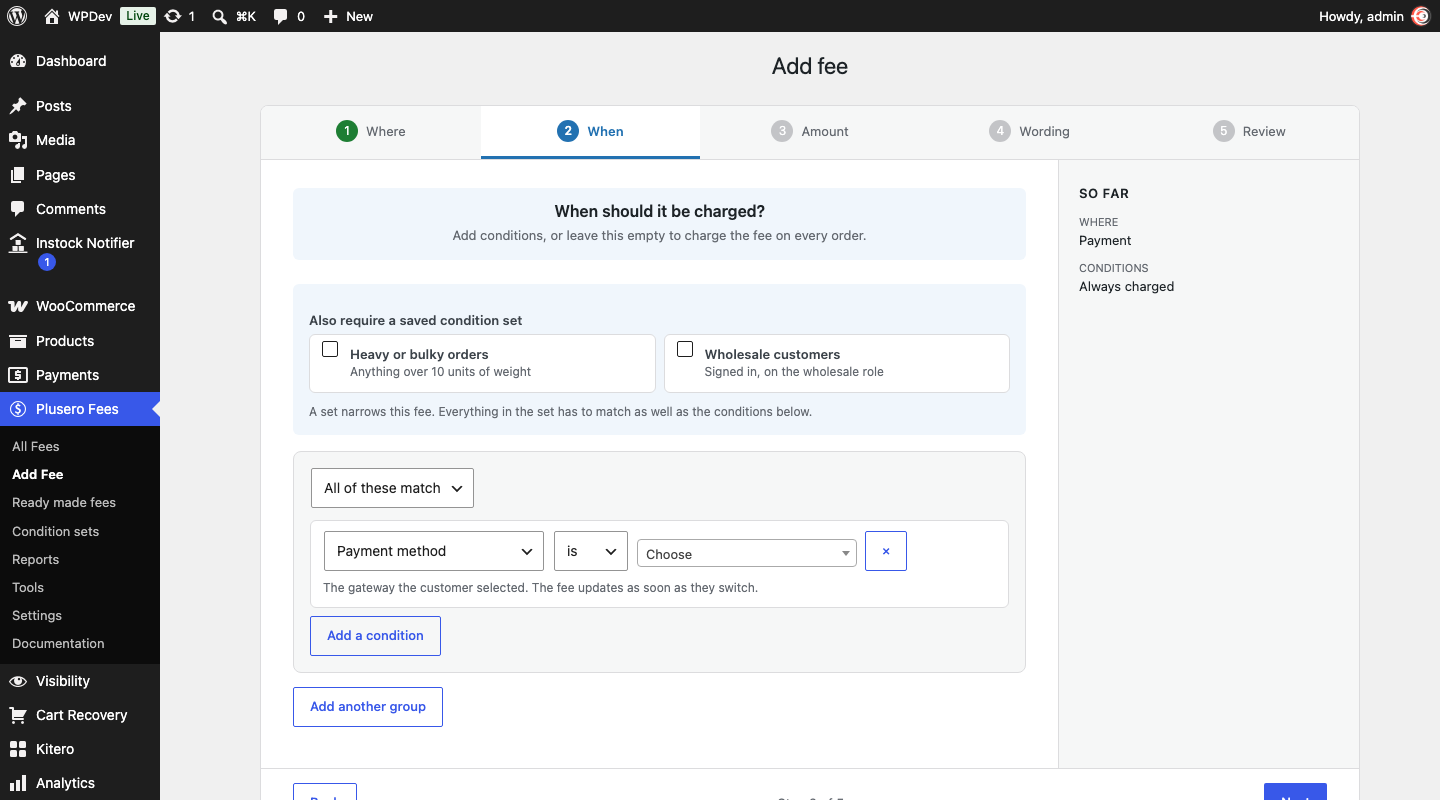
Go to Plusero Fees, Add Fee. The builder asks five questions and reads your answers back as a sentence before you save.
1. Where should it be charged? Product, cart, checkout, shipping or payment. This decides which conditions you can use.
2. When should it be charged? Add conditions, or leave it empty to charge on every order.
3. How much should it be? Pick a method, fill in the figures, set limits, rounding and tax.
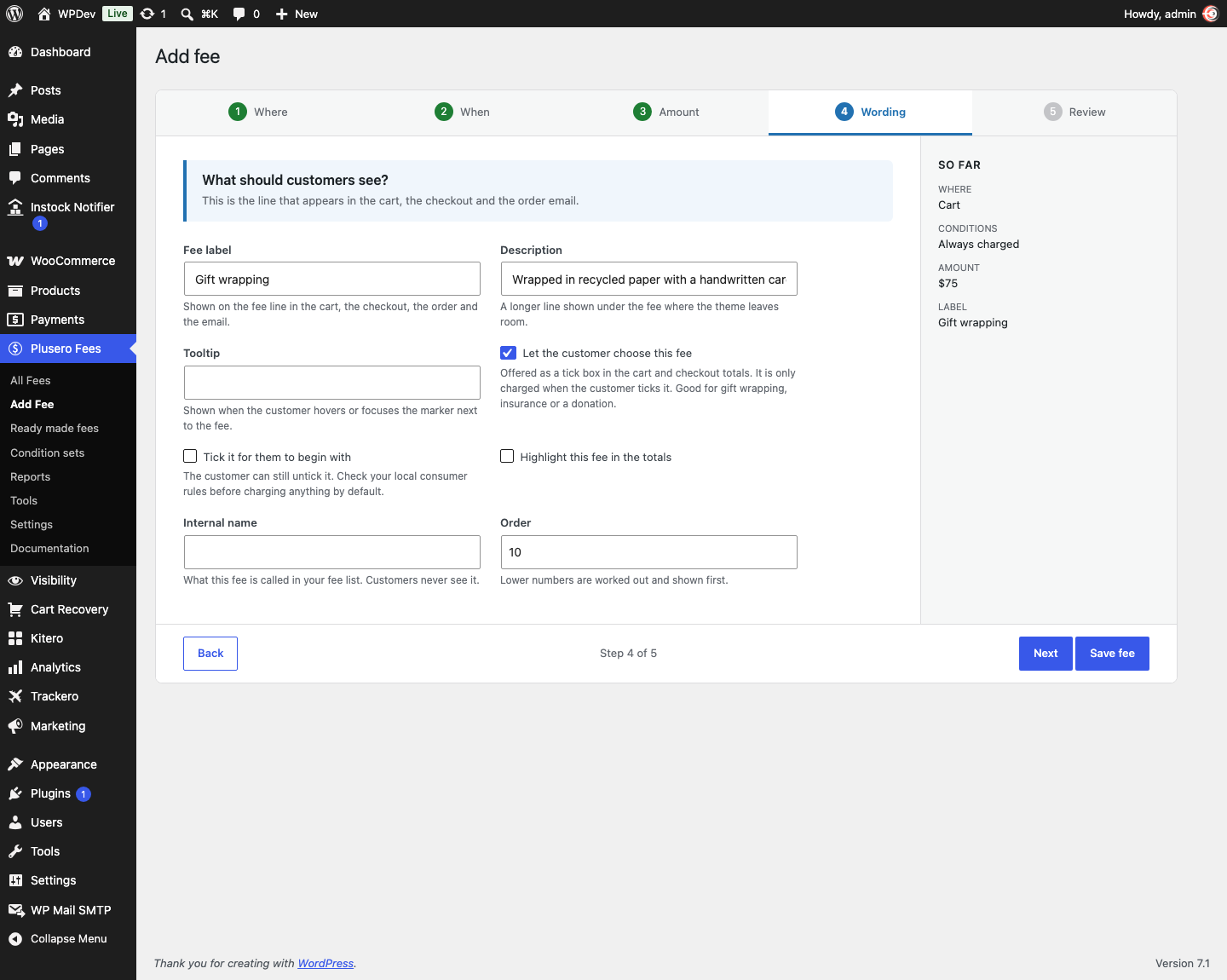
4. What should customers see? The label on the fee line, an optional description, and a tooltip for the detail that would clutter the label.
5. Does this look right? The whole rule in plain words. Save it and it is live.
Worked examples
Cash on delivery surcharge Payment fee. Payment method is Cash on delivery. Fixed 40.
Small order fee Cart fee. Cart subtotal is less than 500. Fixed 50.
Card processing Checkout fee. 2.9 percent plus 5, taken from the cart subtotal.
Fragile packaging Product fee. Category is Glassware. 20 per item, counting only the glassware in the basket.
Express handling Shipping fee. Shipping method is Express. Fixed 30.
Gift wrapping the customer chooses Cart fee. Fixed 75, marked optional, with a description explaining what they get.
Handling that scales down Cart fee. Tiered on subtotal: 60 up to 999, 35 from 1000 to 4999, nothing above 5000.
Weekend delivery surcharge Shipping fee. Scheduled Friday to Sunday. Fixed 25.
Amounts are in your shop’s own currency.
Free and Pro
A free edition is available on WordPress.org. It covers all five fee locations with a focused set of eight conditions and two calculation methods, and it is complete on its own.
Pro adds ten more conditions, five more calculation methods, tiered bands, reductions, optional fees, scheduling, reusable condition sets, multiple condition groups, the product page breakdown, combined and grouped display, the order fee cap, reports, change history, the debug panel, ready made fees, import and export, and the REST API.
Installing Pro switches the free edition off automatically. Every fee and setting you already built is kept exactly as it was.
Changelog
1.0.0
First release.
Additional information
| License | Starter License, Growth License, Ultimate License |
|---|
Related products

Plugins
Giftero - Gift Cards for WooCommerce
Gift Cards for WooCommerce is a complete gift card plugin with a live card designer, atomic…
From
$59.00
One-time

Plugins
Recovero - Cart Abandonment Recovery for WooCommerce
Turn abandoned carts into completed orders. Captures every cart in real time, including guests, then wins…
From
$59.00
One-time

Plugins
Affireo - Affiliates for WooCommerce
Turn your WooCommerce store into a complete affiliate program. Affiliates share a personal link, you approve…
From
$59.00
One-time