Your cart is empty.
Browse plugins
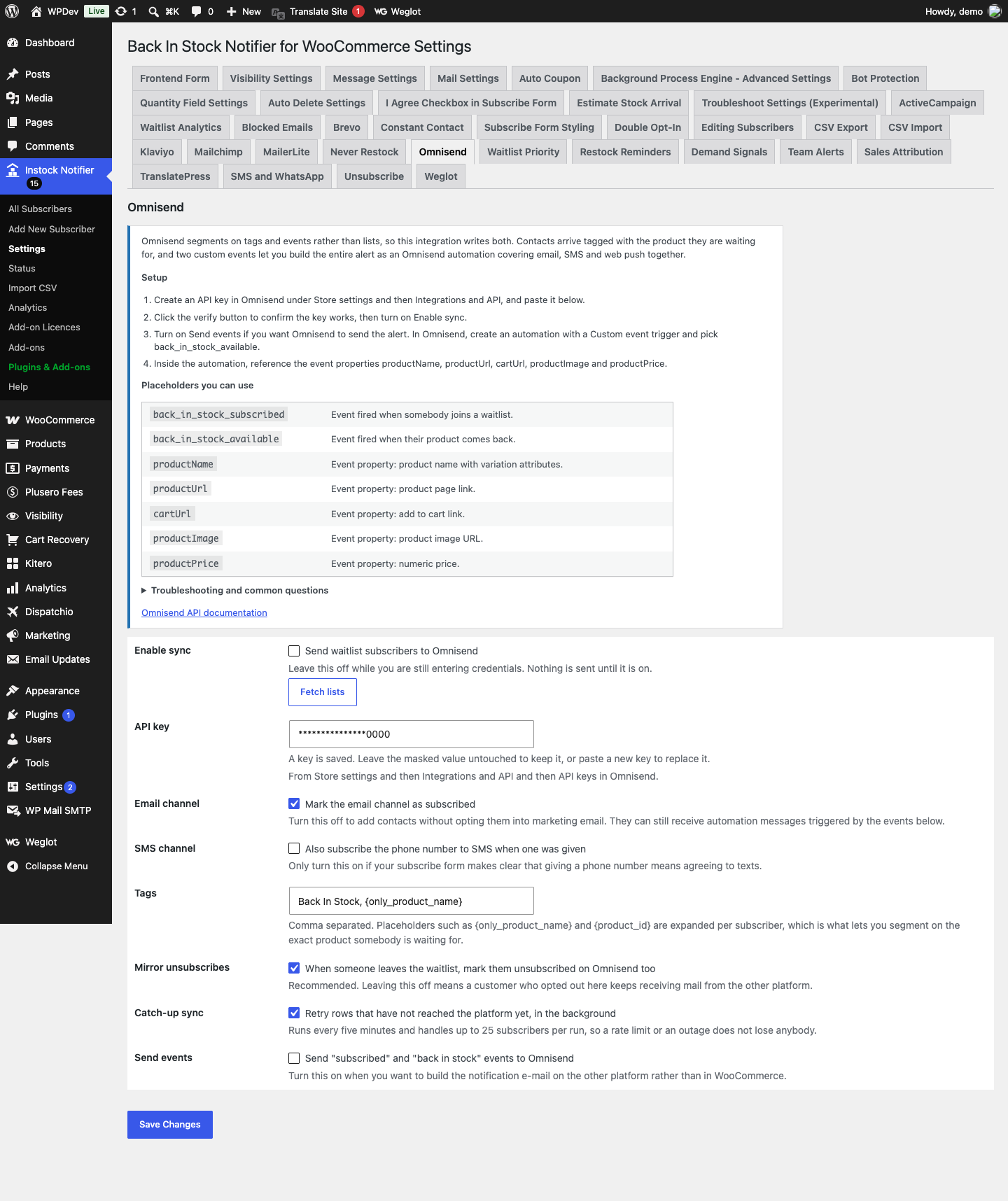
How it works
- Omnisend segments on tags, properties and events rather than lists, so there is no list selector here. Contacts arrive tagged with the product they are waiting for, with the same detail duplicated into custom properties.
- Two custom events are fired: back_in_stock_subscribed and back_in_stock_available. Those are what an Omnisend automation triggers on, and they are the reason to use this integration rather than treating Omnisend as a passive copy of your list.
- An existing unsubscribed contact is never flipped back to subscribed. That was a deliberate choice by the customer and this add-on will not undo it.
Setting it up
- Create an API key in Omnisend under Store settings and then Integrations and API, and paste it into the add-on settings.
- Click the verify button to confirm the key works, then turn on Enable sync.
- Turn on Send events if you want Omnisend to send the alert. In Omnisend, create an automation with a Custom event trigger and pick back_in_stock_available.
- Inside the automation, reference the event properties productName, productUrl, cartUrl, productImage and productPrice.
Shortcodes
back_in_stock_subscribedEvent fired when somebody joins a waitlist.back_in_stock_availableEvent fired when their product comes back.productNameEvent property: product name with variation attributes.productUrlEvent property: product page link.cartUrlEvent property: add to cart link.productImageEvent property: product image URL.productPriceEvent property: numeric price.
Common questions
Why is there no list to choose? Because Omnisend does not have them. Segment on the tags this add-on writes, or on the custom events, both of which are more precise than a list would be.
My automation is not firing. Custom events only appear in Omnisend’s trigger picker after the event has been received at least once. Subscribe a test address and run a restock, then go back and build the automation.
Do I still need the WooCommerce restock email? Not if Omnisend is sending the alert. Turn the built-in notification off under WooCommerce and then Settings and then Emails so customers do not receive both.
A contact already unsubscribed in Omnisend. Their status is left alone. This add-on never flips an unsubscribed contact back to subscribed, because that would undo a choice they made deliberately.
Data and privacy
- Sent to Omnisend: email address, first and last name, optionally the phone number as an SMS identifier, tags, and custom properties holding the product name, ID, SKU and URL.
- Event payloads additionally carry the product image, price, add to cart link and requested quantity.
- Stored in WordPress: a per subscriber synced flag only.
- The SMS channel is opted in only when you explicitly enable it, because a phone number given for a restock alert is not consent to marketing texts.