Your cart is empty.
Browse plugins
How it works
- MailerLite has no tag concept, so the product somebody is waiting for is written into custom fields instead. That is deliberate rather than a compromise: fields are what MailerLite segment rules and automation triggers actually read, so a segment of everyone waiting for one SKU works without any extra setup.
- The five custom fields are created on your account automatically before the first sync. MailerLite accepts a value for a field that does not exist and then silently discards it, so provisioning has to happen first or the product data never appears and nothing reports an error.
Setting it up
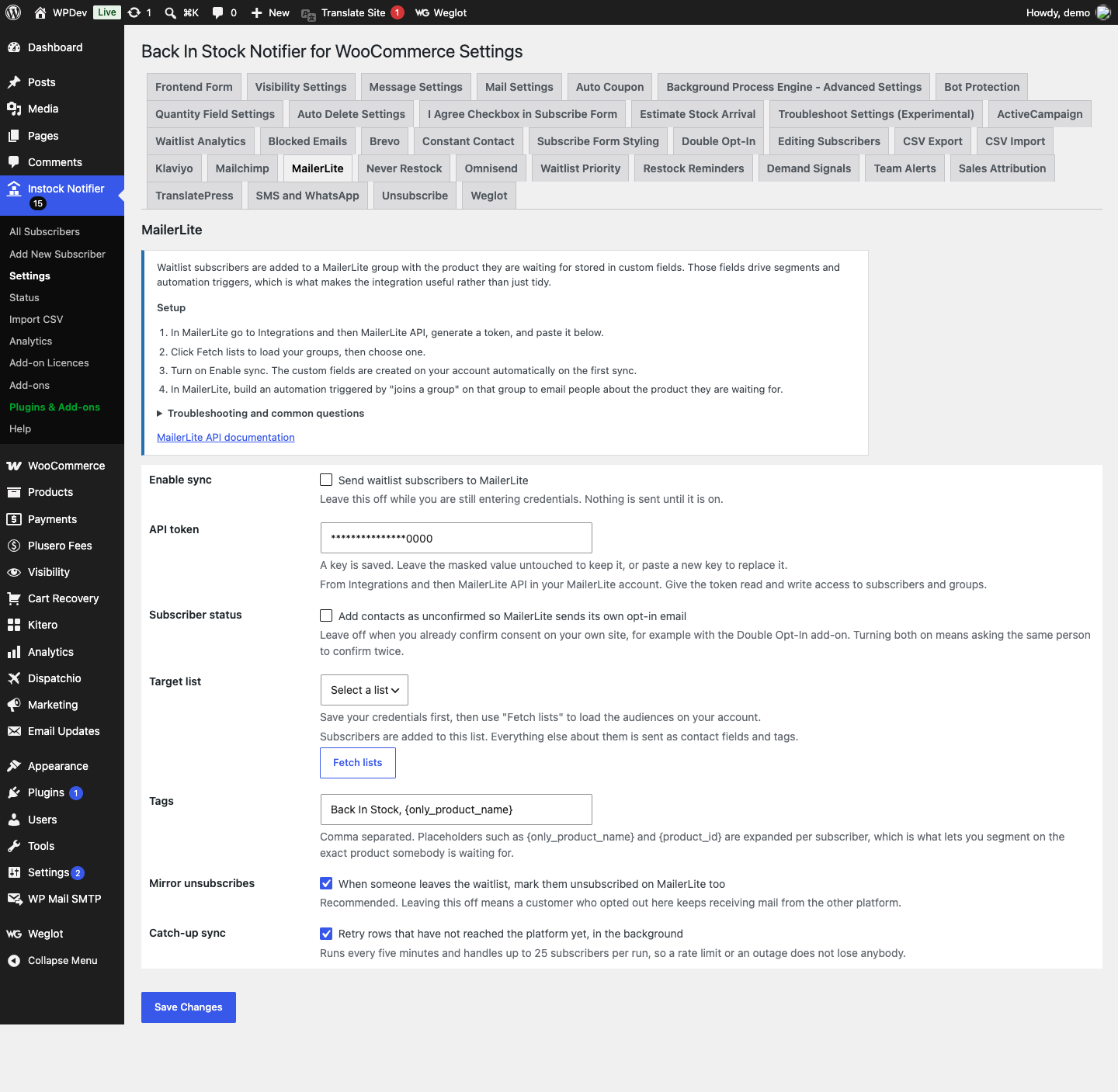
- In MailerLite go to Integrations and then MailerLite API, generate a token, and paste it into the add-on settings.
- Click Fetch lists to load your groups, then choose one.
- Turn on Enable sync. The custom fields are created on your account automatically on the first sync.
- In MailerLite, build an automation triggered by “joins a group” on that group to email people about the product they are waiting for.
Common questions
Which custom fields are created? bis_product, bis_product_id, bis_product_sku, bis_product_url and bis_tags. They are created once and reused, and nothing else on the contact is touched.
A subscriber waits for several products. What then? MailerLite holds one contact per email address, so the fields reflect the most recent product they joined a waitlist for. The bis_tags field accumulates the full set, so segment on that when you need history.
I get a 422 error. MailerLite rejects addresses it considers invalid or previously bounced. The specific reason is recorded in the plugin log against that subscriber.
Does unsubscribing here remove them from MailerLite? It sets their MailerLite status to unsubscribed. The contact record stays, so your reporting history stays intact.
Data and privacy
- Sent to MailerLite: email address, name, last name, phone number if given, plus five custom fields holding the product name, ID, SKU, URL and the tag string.
- Stored in WordPress: a per subscriber synced flag, the cached list of groups, and a flag recording that the custom fields have been provisioned.
- The API token is encrypted at rest and never logged.