Your cart is empty.
Browse plugins
Description
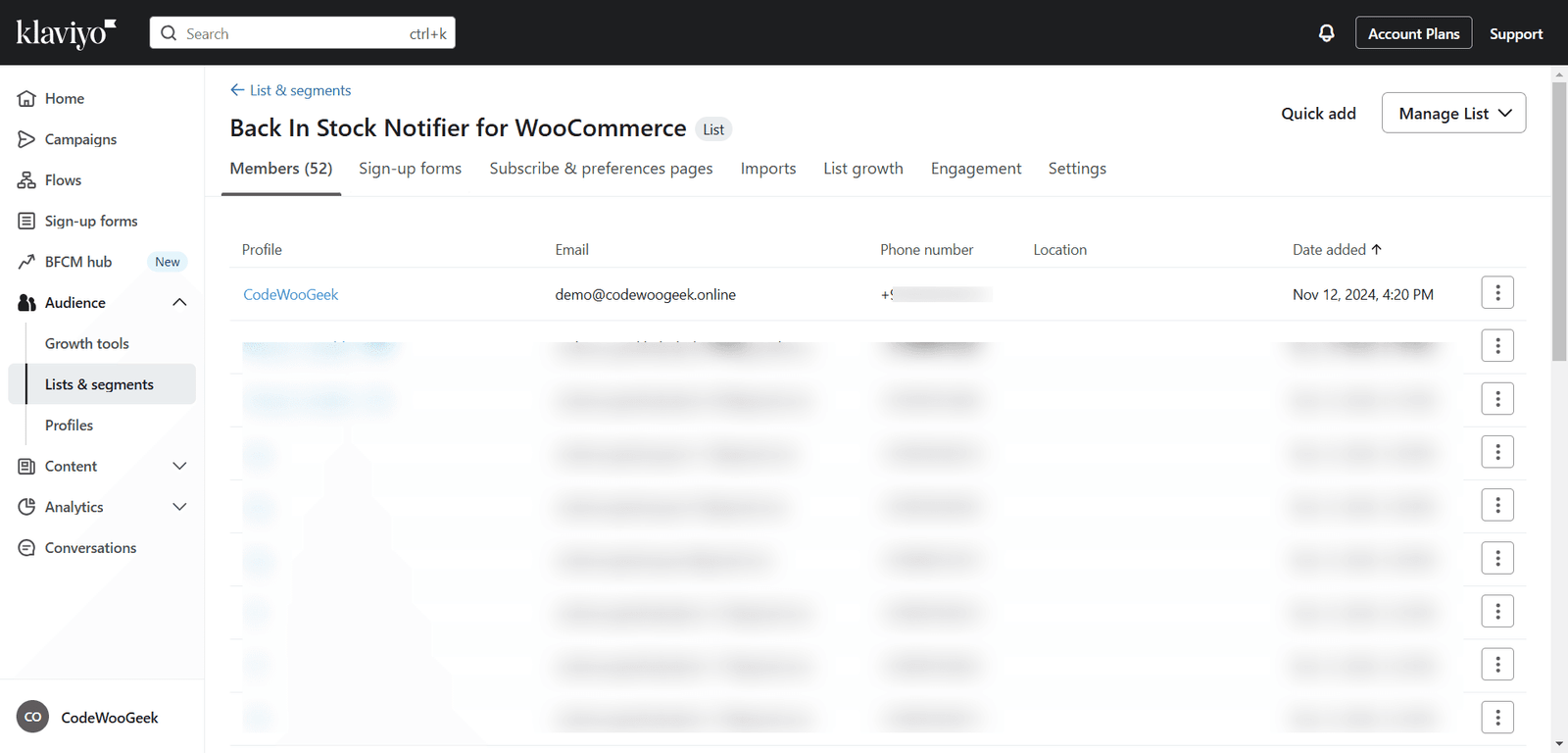
Klaviyo is the add-on for the Back In Stock Notifier. Its main purpose is to automatically sync out-of-stock subscribers to Klaviyo. There are two sync processes available: Instant Sync and Batch Process Sync.
Once activated, any new visitor subscribing to a product will have their email synced to Klaviyo instantly. For existing subscribers, the add-on uses a batch process. Every five minutes, a background process syncs 10 subscribers at a time.
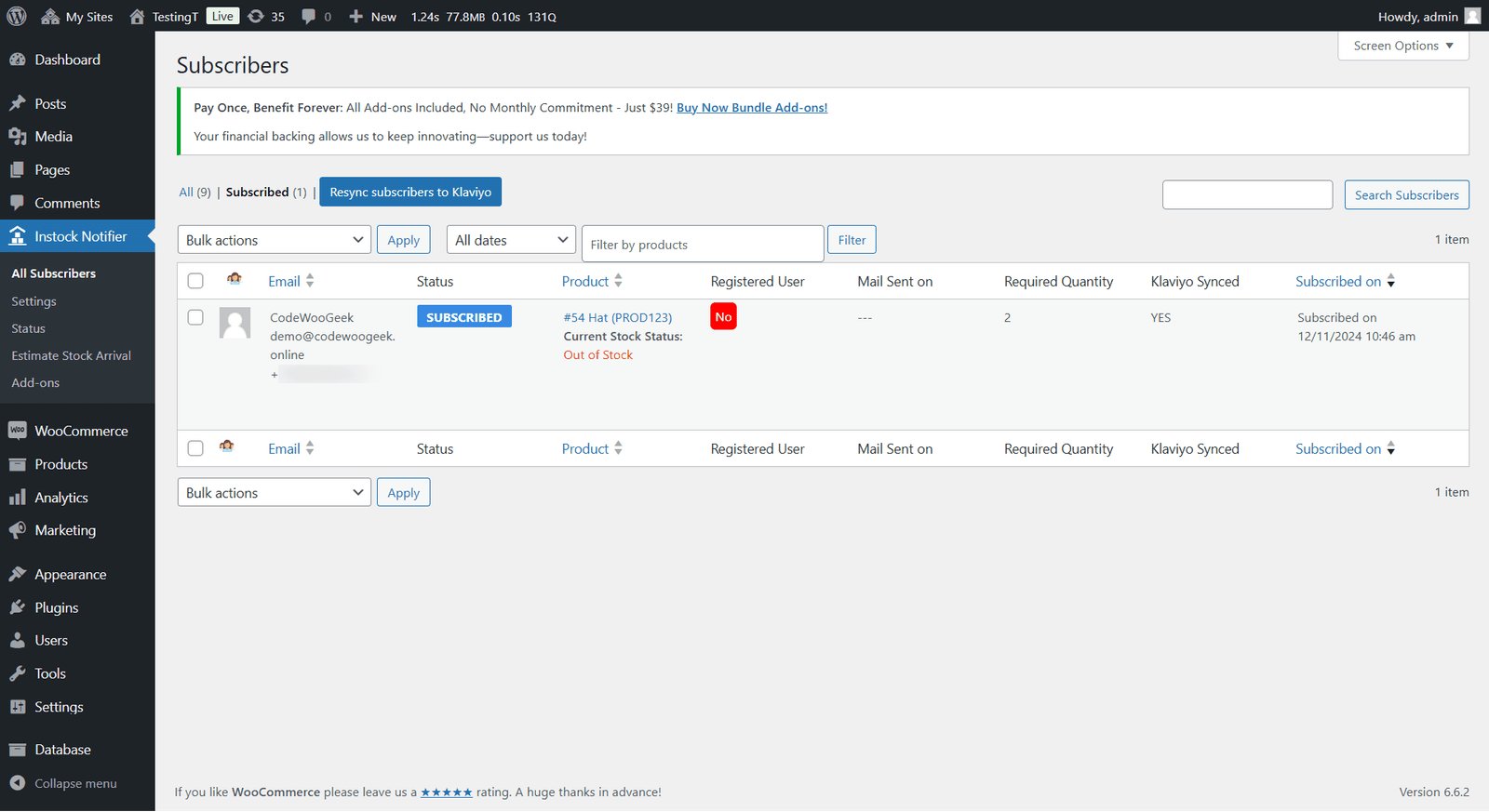
The “All Subscribers” list table in the Admin Dashboard (Instock Notifier > All Subscribers) displays a “Klaviyo Synched” column with either YES or NO. This indicates whether subscriber details have been synced to Klaviyo.
Since version 2.0.0, the add-on has expanded its functionality beyond email syncing. Now, every subscriber syncs with their full product context. You can also create ready-to-use Klaviyo email templates and flows for your store with a single click, eliminating the need for manual flow building in Klaviyo.
Rich Product Properties
When a subscriber is synced (instantly, in batches or via a flow trigger), the add-on attaches the full product and subscriber context to the Klaviyo profile and event. This allows you to personalise your emails. The properties include product ID, variation ID, product name, title, SKU, URL, image (a direct URL ready for email use), price (both raw amount and formatted price), add-to-cart URL, quantity, currency, shop name and subscriber details like name, first name, last name and phone.
One-Click Flows & Email Templates
With a single click, the add-on generates two professional mobile-responsive Klaviyo email templates and two live flows in your account.
– Back In Stock – Subscription Confirmation: This email is sent when a visitor subscribes to be notified about a product.
– Back In Stock – Product Available: This email is sent when the product is back in stock.
When you click “Generate Flows & Email Templates”, the add-on registers the necessary metrics in Klaviyo, creates or updates the two email templates from our built-in designs and builds and activates the two flows with the matching template. Running it again safely rebuilds everything, making it easy to push any template or accent colour changes into the live flow emails. Klaviyo copies a template into a flow when it’s built and never re-syncs on its own. All product placeholders are pre-marked, so emails render with live product data.
Avoid Duplicate Emails
The add-on also helps avoid duplicate emails by ensuring that all generated emails are unique and up-to-date.
The back-in-stock event can trigger both WooCommerce’s built-in email and your Klaviyo flow. Therefore, the add-on includes a “Send these notifications from Klaviyo only” option. When enabled, WooCommerce’s “Back In Stock” and “Subscription Confirmation” emails are automatically switched off, ensuring customers only receive one message. Leave it unchecked to keep both.
Minimum Requirements
– PHP version 5.6 or higher
– MySQL 5.6 or higher
– WooCommerce version 3.0 or higher
– WordPress version 4.7 or higher
– Back In Stock Notifier for WooCommerce version 1.10.4
– A Klaviyo Private API Key with Full Access (required for template, flow and metric creation)
Installation
Klaviyo installation is manual. After purchase, download the Klaviyo add-on in zip format. Upload it to WordPress via these steps:
1. Go to the Admin Dashboard.
2. Navigate to Plugins -> Add New.
3. Click Upload Plugin and select your downloaded Klaviyo Add-on zip file.
4. Install and activate the plugin.
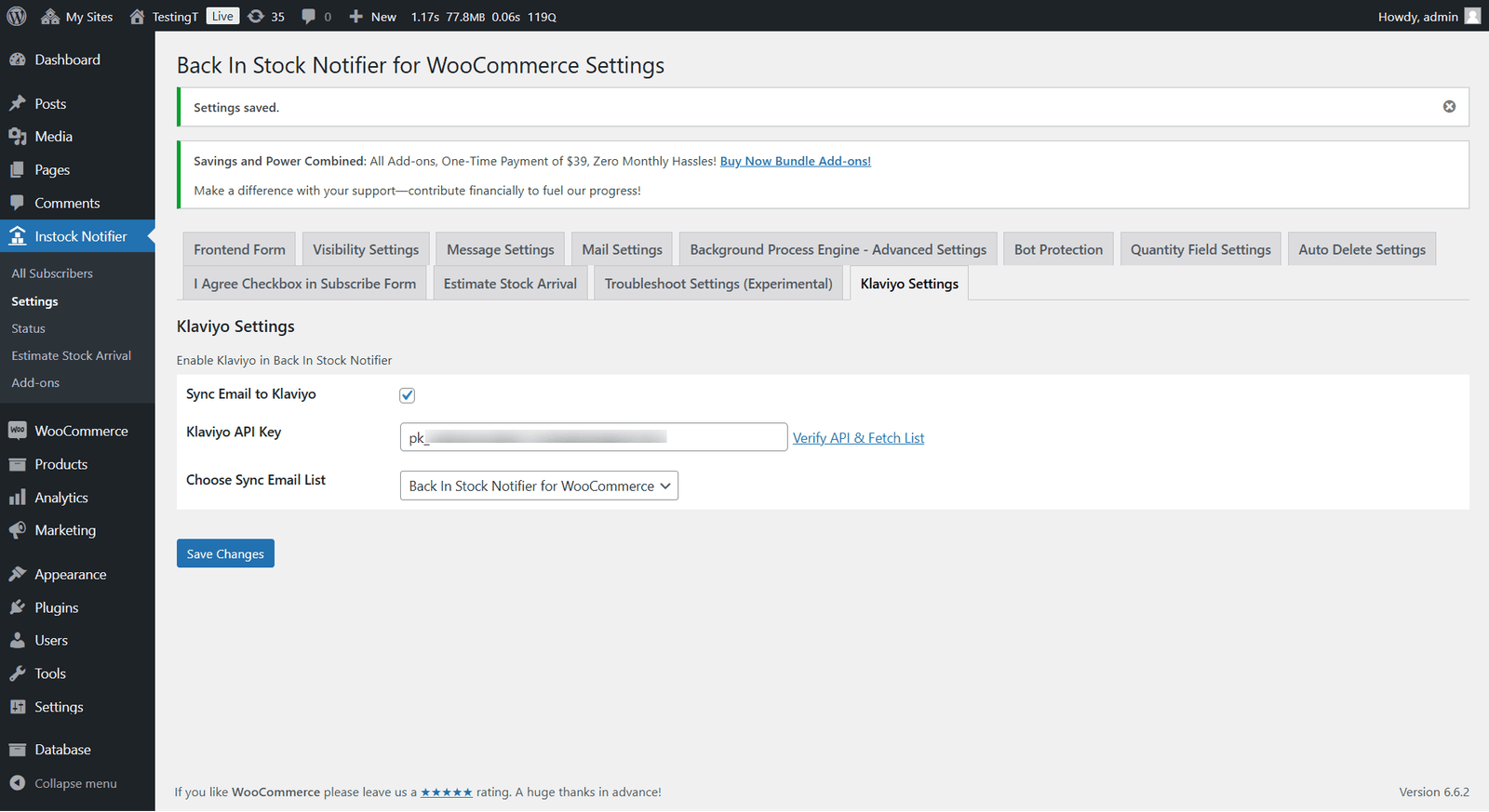
5. Access Klaviyo settings in Instock Notifier -> Settings -> scroll to the Klaviyo Settings section for further customisation.
Configuring Klaviyo
To sync with Klaviyo, an API Key and Sync List are needed. First, obtain the API Key (see point 2). Detailed information about each option is below.
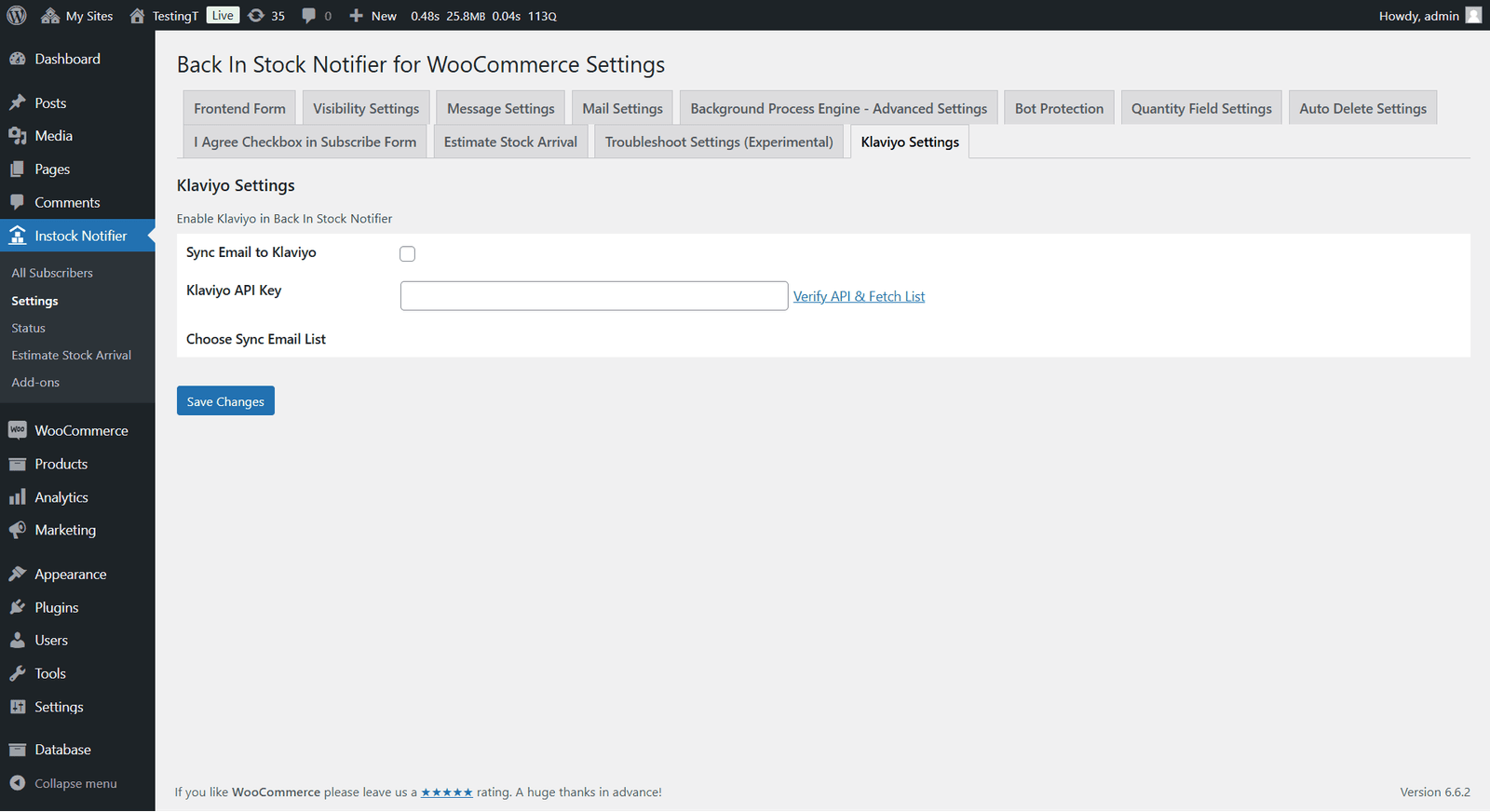
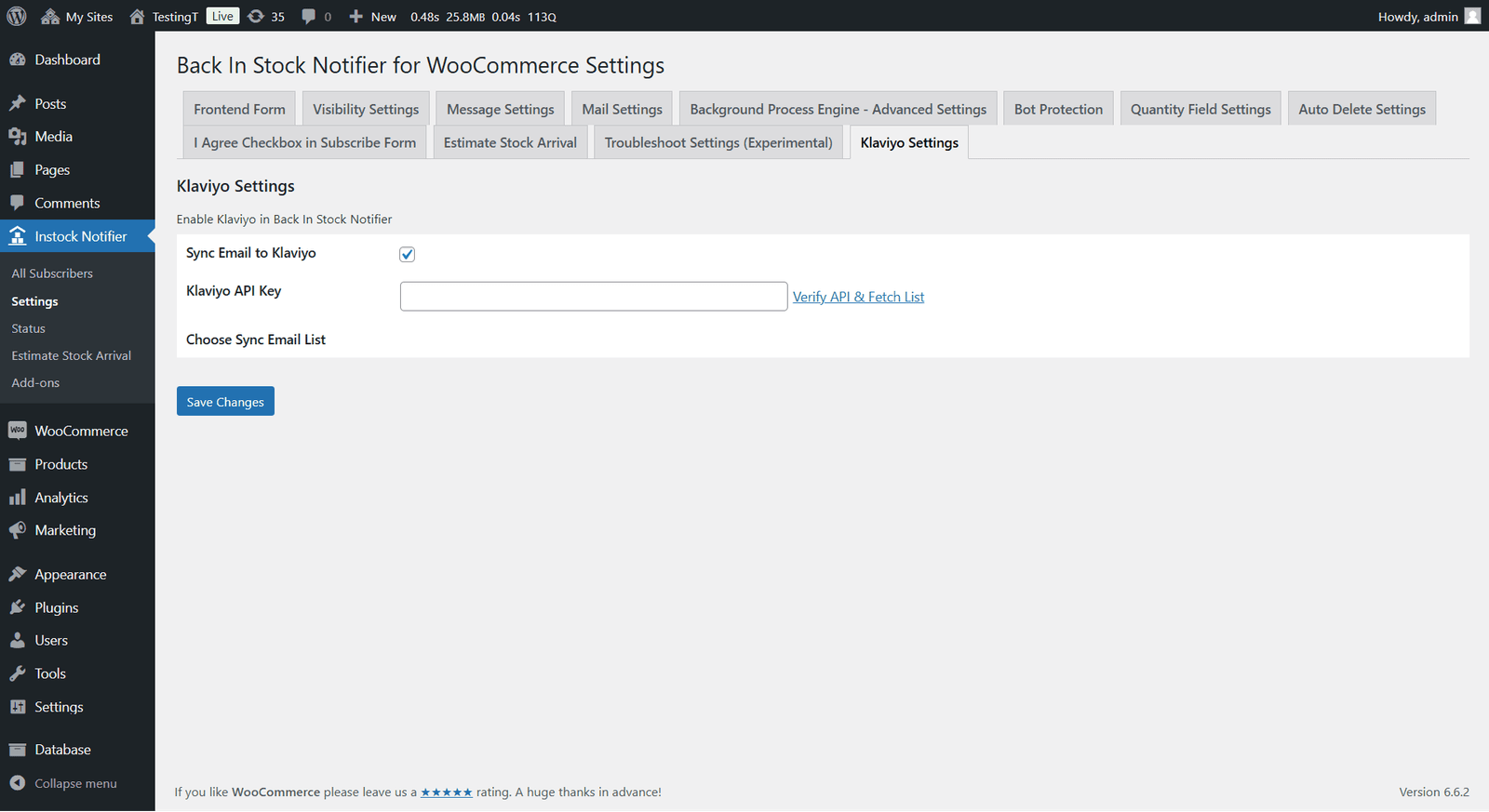
1. Sync Email to Klaviyo – Checkbox (Default Disabled): To start syncing with Klaviyo, first enable this checkbox.
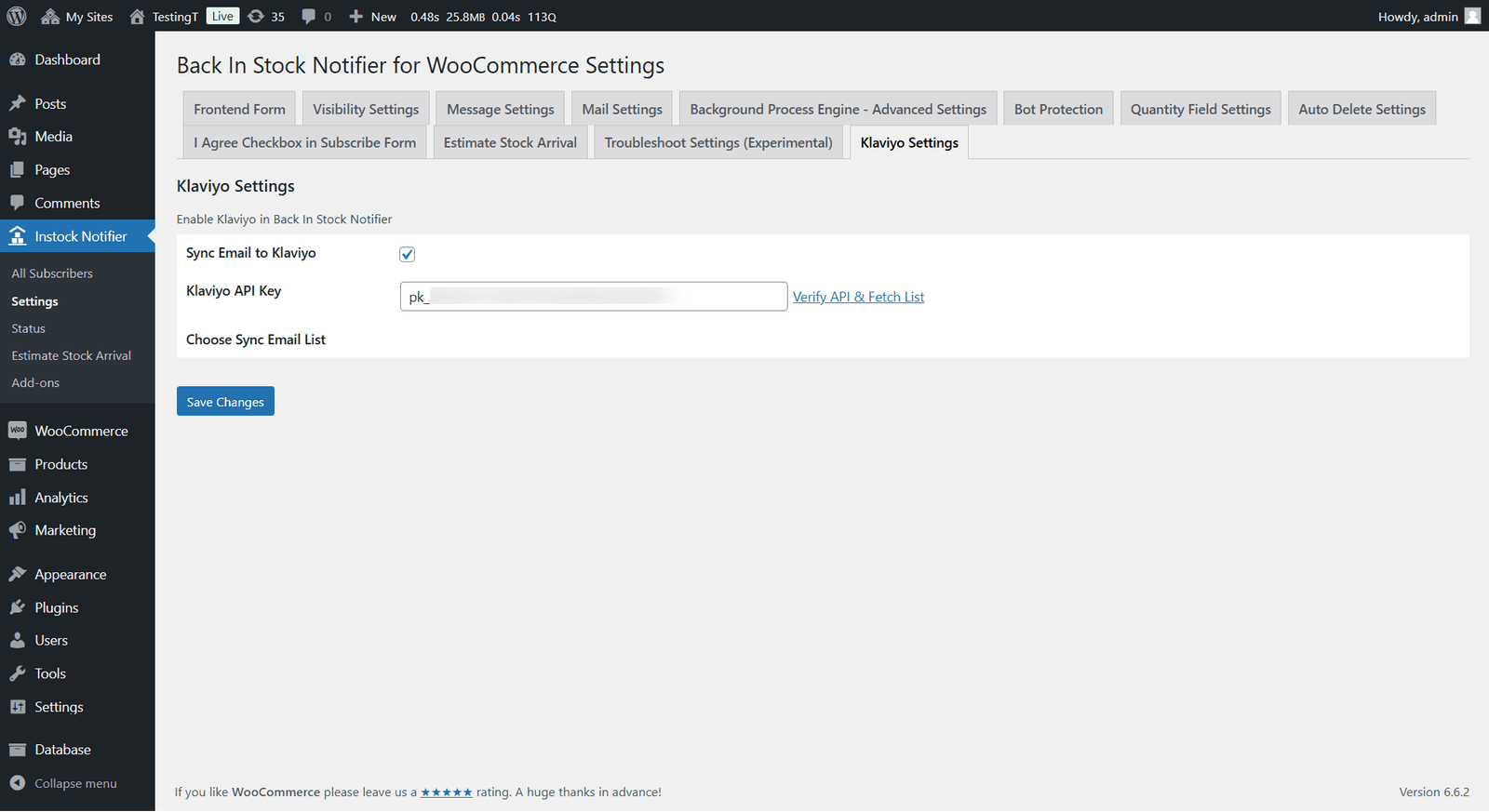
2. Klaviyo Private API Key: Enter your Private API Key from Klaviyo in this text box. After entering your API Key, click “Verify API and Fetch List” to fetch the Lists associated with your Klaviyo account.
How to Get Your Private API Key from Klaviyo:
– Log in to your Klaviyo account at Klaviyo.com.
– Click on your account name in the lower left corner and go to Account.
– Navigate to the Settings tab and select API Keys from the menu.
– In the API Keys section, you’ll see an option to Create API Key (if you haven’t already). Click Create API Key to generate a new Private API Key. Give it Full Access so it can create templates, flows and metrics.
– Copy this Private API Key for use in the setup.
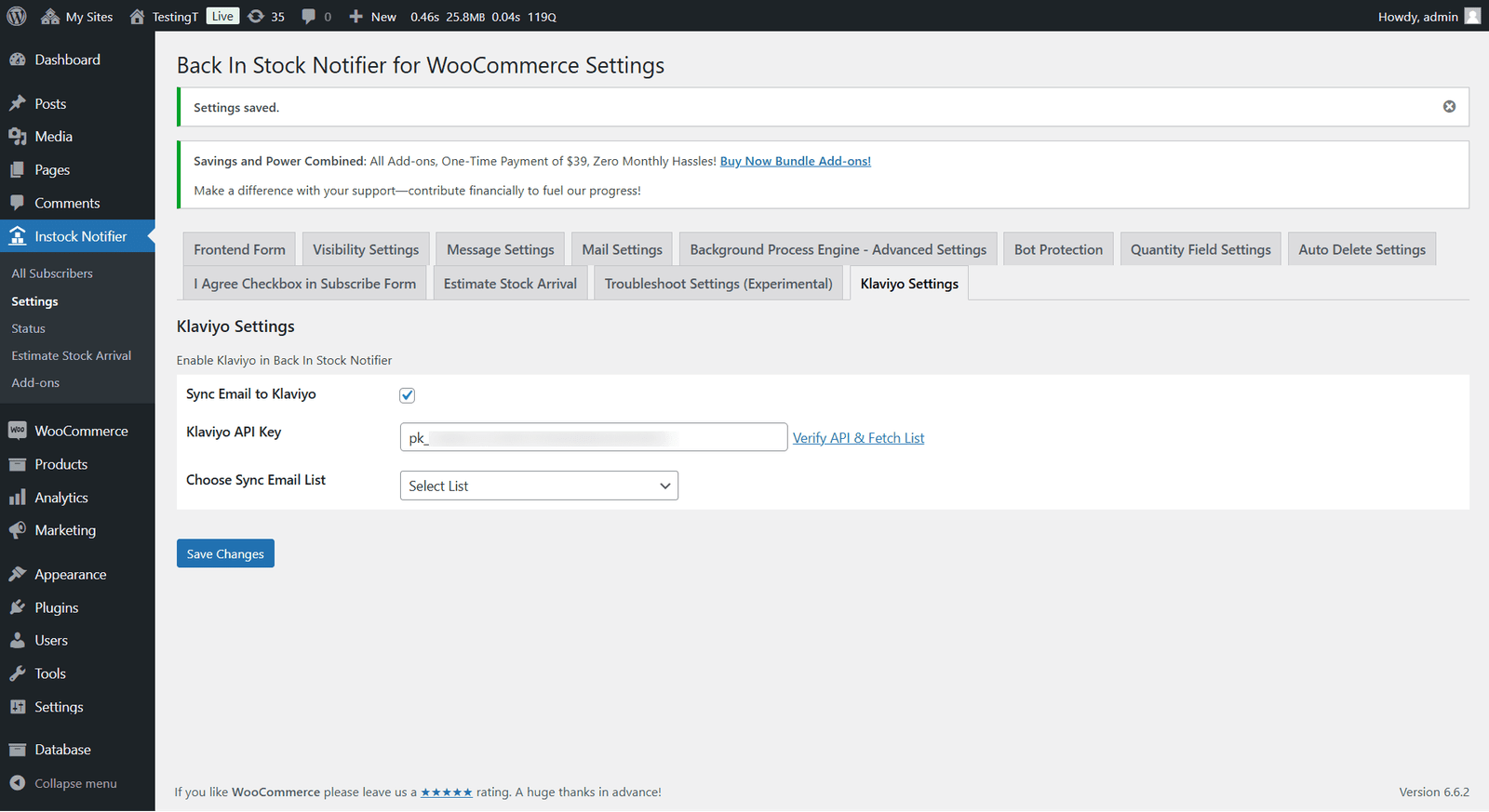
3. Verify API and Fetch List: This is crucial for fetching the created Lists from Klaviyo. Without proceeding, you won’t see any lists associated with your API Key. Clicking this link will automatically fetch the lists and save your changes. In the future, you can easily fetch any list by clicking this link again.
4. Choose Sync Email List: After completing the above three steps, you’ll see the lists in a dropdown. Select a list to sync data (emails) to Klaviyo; otherwise, syncing won’t work.
5. Email Accent Colour: This setting allows you to choose the hex colour (e.g. #2563eb) for buttons and accents in generated emails. Save the settings and then re-generate the flows to apply the changes.
6. Email Delivery: To prevent duplicate emails, tick “Send these notifications from Klaviyo only”. This option will send notifications only from your Klaviyo flows, bypassing the built-in WooCommerce back-in-stock and confirmation emails. Alternatively, leave it unticked to keep both types of emails.
7. Generate Flows & Email Templates: Click this button to create or update the two email templates and build and activate the corresponding flows in your Klaviyo account with a single click. Run the process again whenever you change the templates or accent colour to ensure the changes are reflected in the live flow emails.
Changelog
v2.0.0 (1st July 2026)
– Custom Properties: Updated to include full product data such as product ID, name, image, URL, price, SKU, cart URL, quantity, and more.
– Klaviyo Flow Creation: Now allows for one-click creation of Subscription Confirmation and Product Available flows directly within the plugin.
– Professional Email Templates: Two professional, responsive email templates have been generated and pushed to Klaviyo, with all placeholders pre-marked.
– Trigger Events: Automatic metric registration for “Back In Stock Subscribed” and “Back In Stock Available” trigger events.
– Send from Klaviyo Only: Option to disable built-in emails and avoid duplicates.
– Email Accent Colour: Setting for customising the accent colour of generated templates.
– API Client Enhancements: Improved API client with rate-limit handling and enhanced reliability and security.
v1.1 (1st December 2025)
– Auto Update and License Activation: Added features for automatic updates and license activation.
– Code Enhancements: Improved code for better performance and reliability.
v1.0 (12th November 2024)
– Initial Release
Additional information
| License | Starter License, Growth License, Ultimate License |
|---|