
Your cart is empty.
Browse plugins
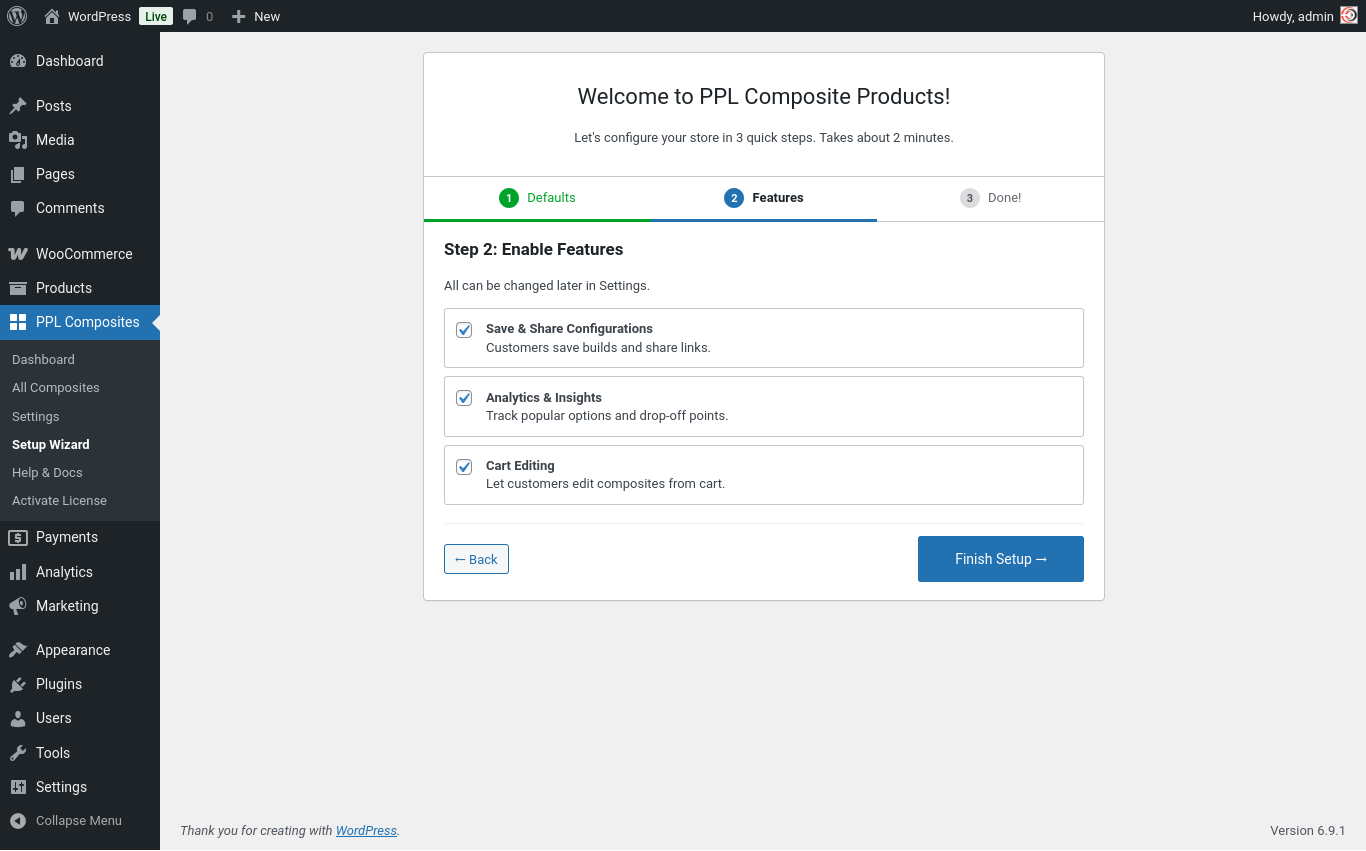
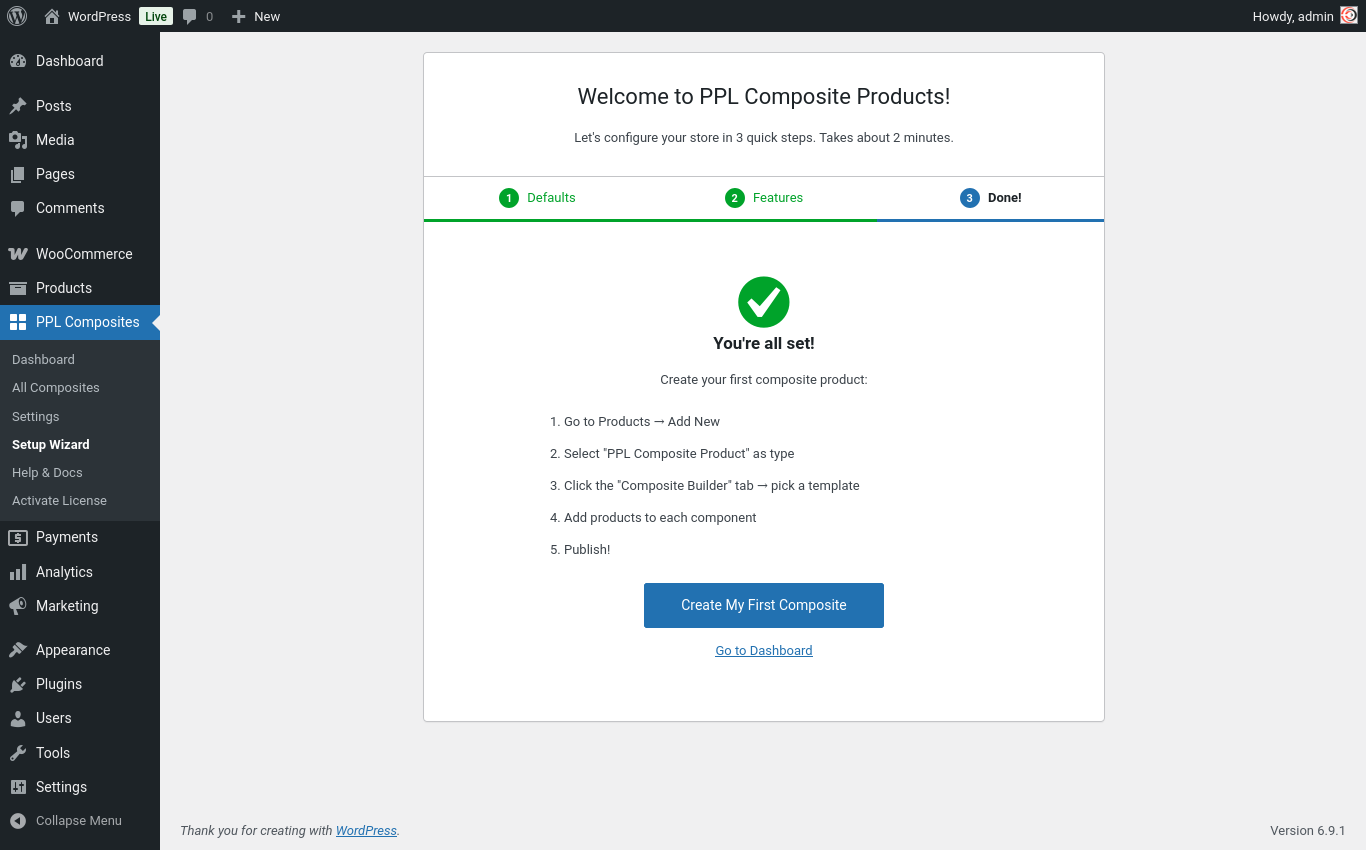
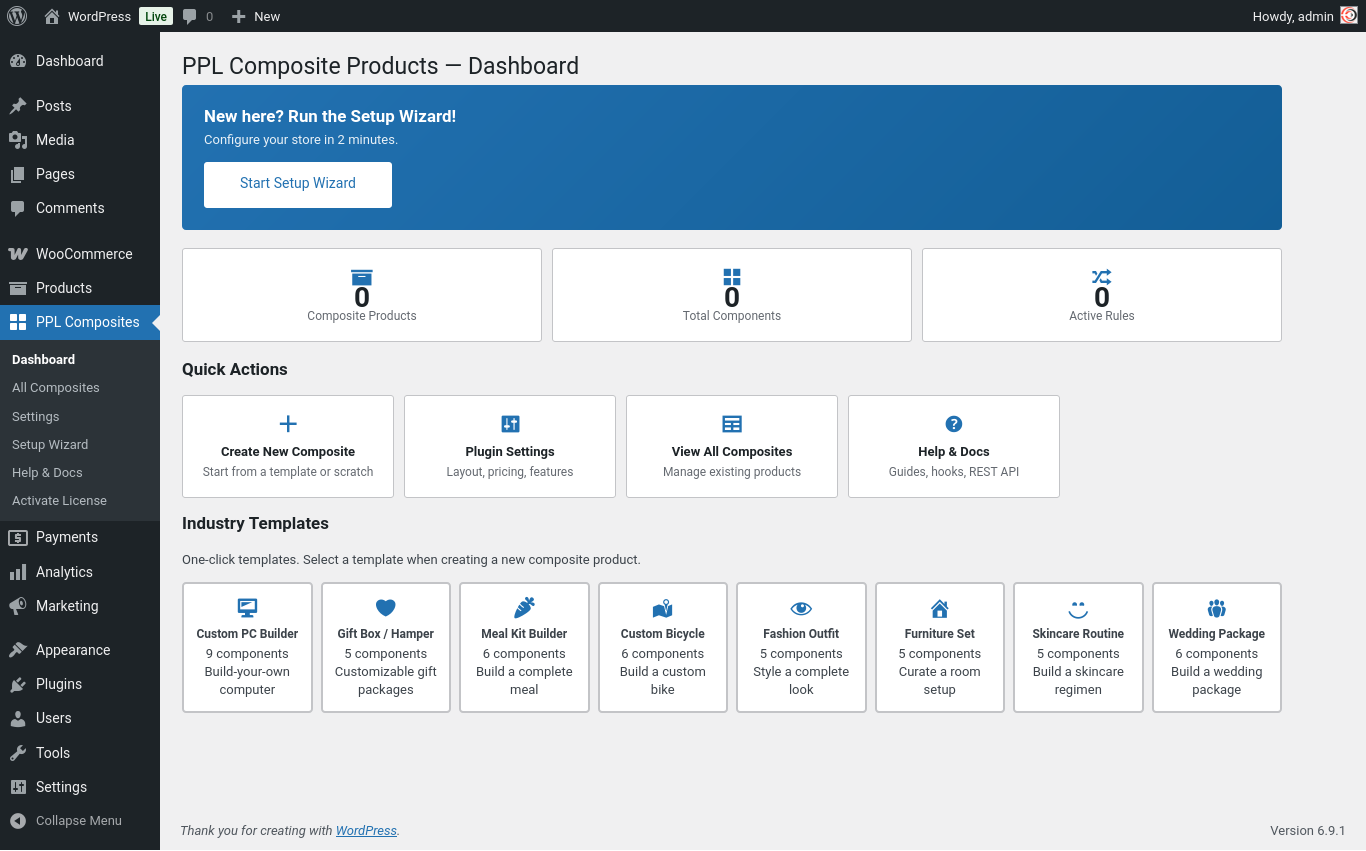
Description
Composite Products lets you sell products where the customer has to make choices before buying. Instead of selling a fixed product, you define components – and the customer picks one option from each component to build their own version of the product.
A simple example: you sell a gift hamper. You want the customer to choose their own cheese, their own wine, and their own chocolate. Without this plugin, you would have to create hundreds of product variations to cover every combination. With this plugin, you create one product with three components – cheese, wine, and chocolate – and the customer picks one from each. The plugin handles everything: what they see, what they pay, and what goes into the order.
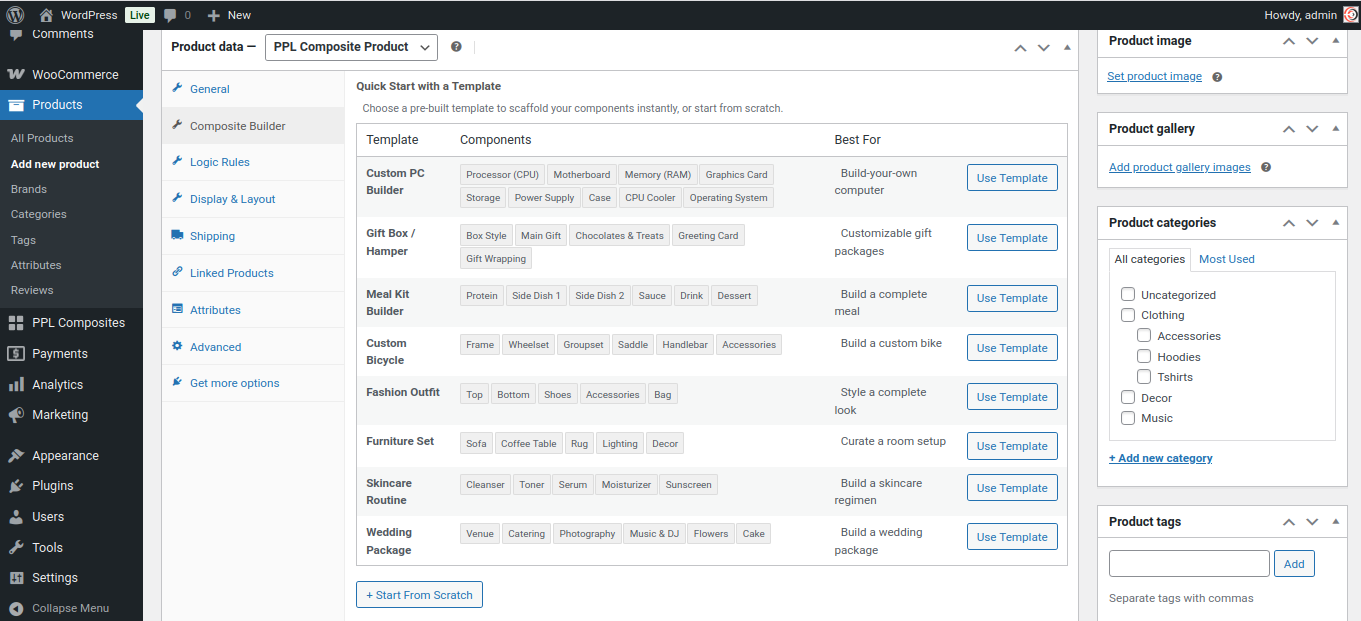
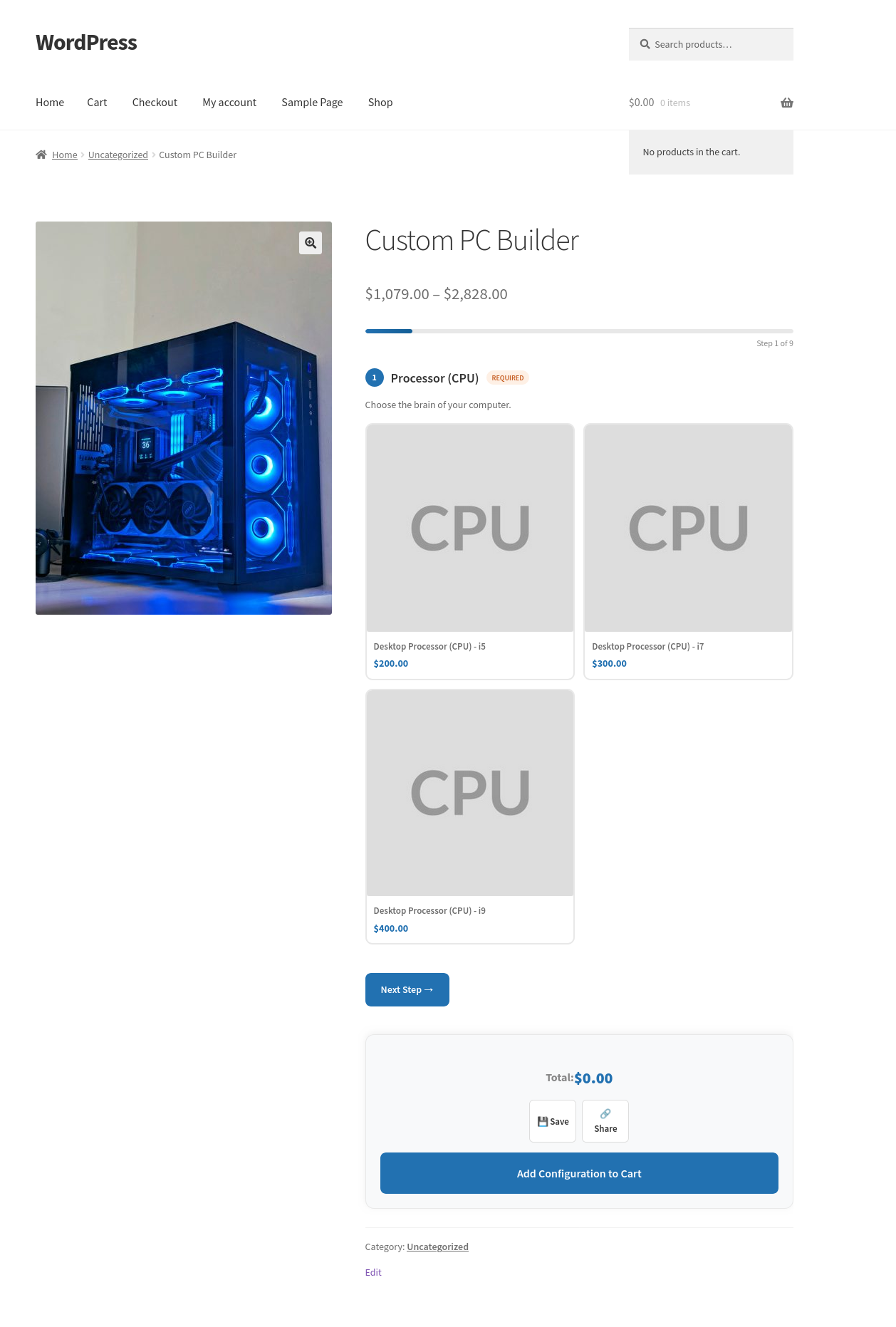
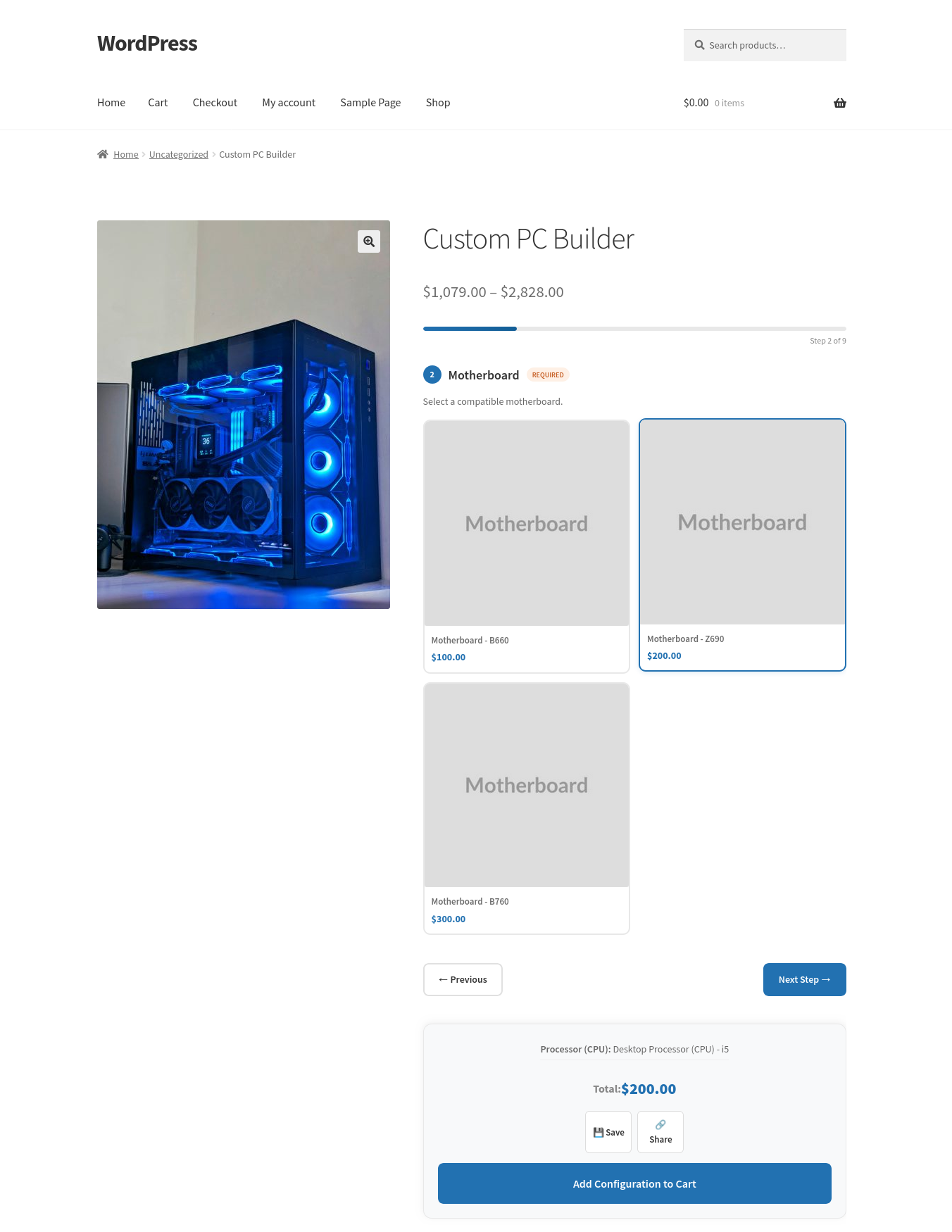
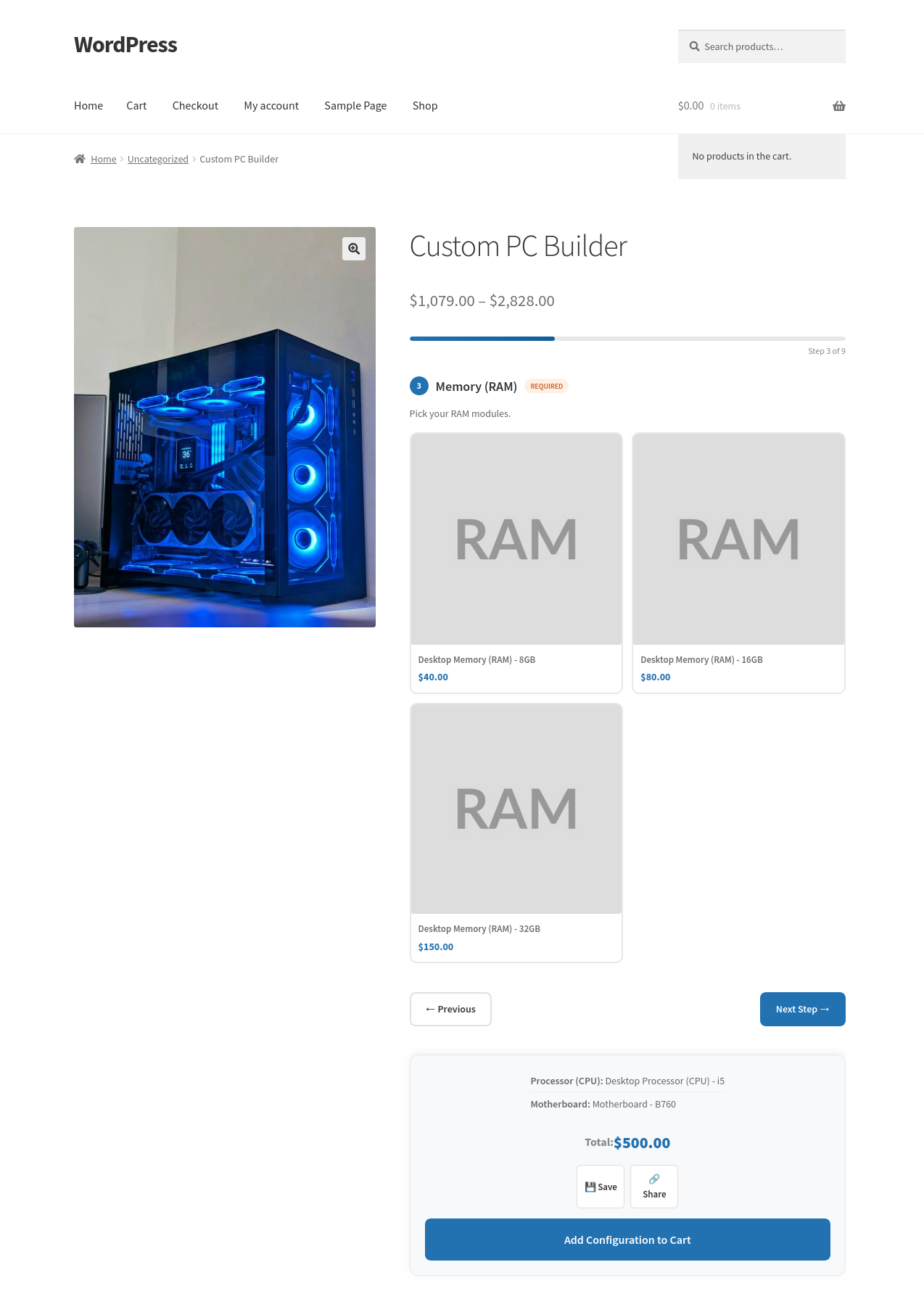
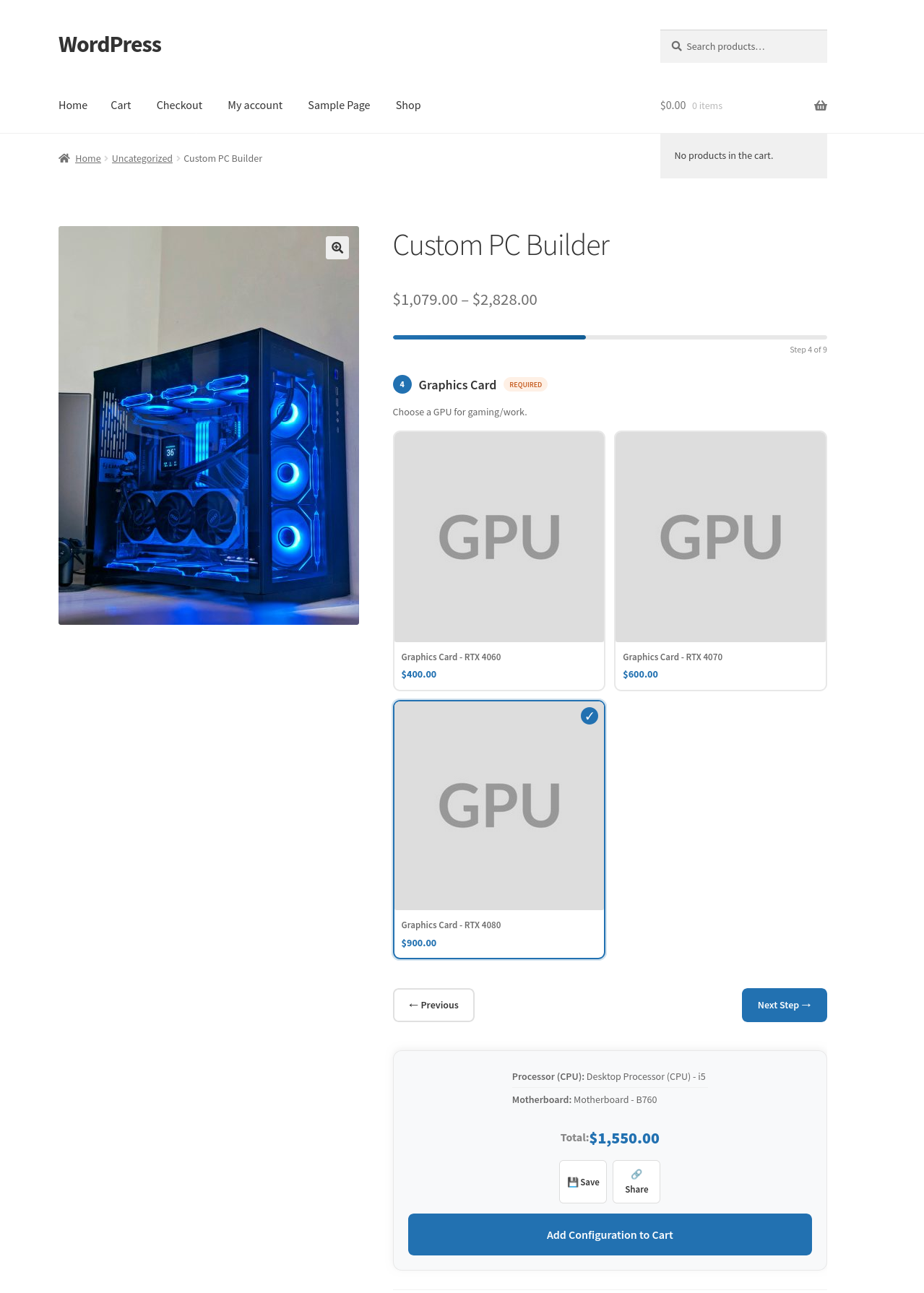
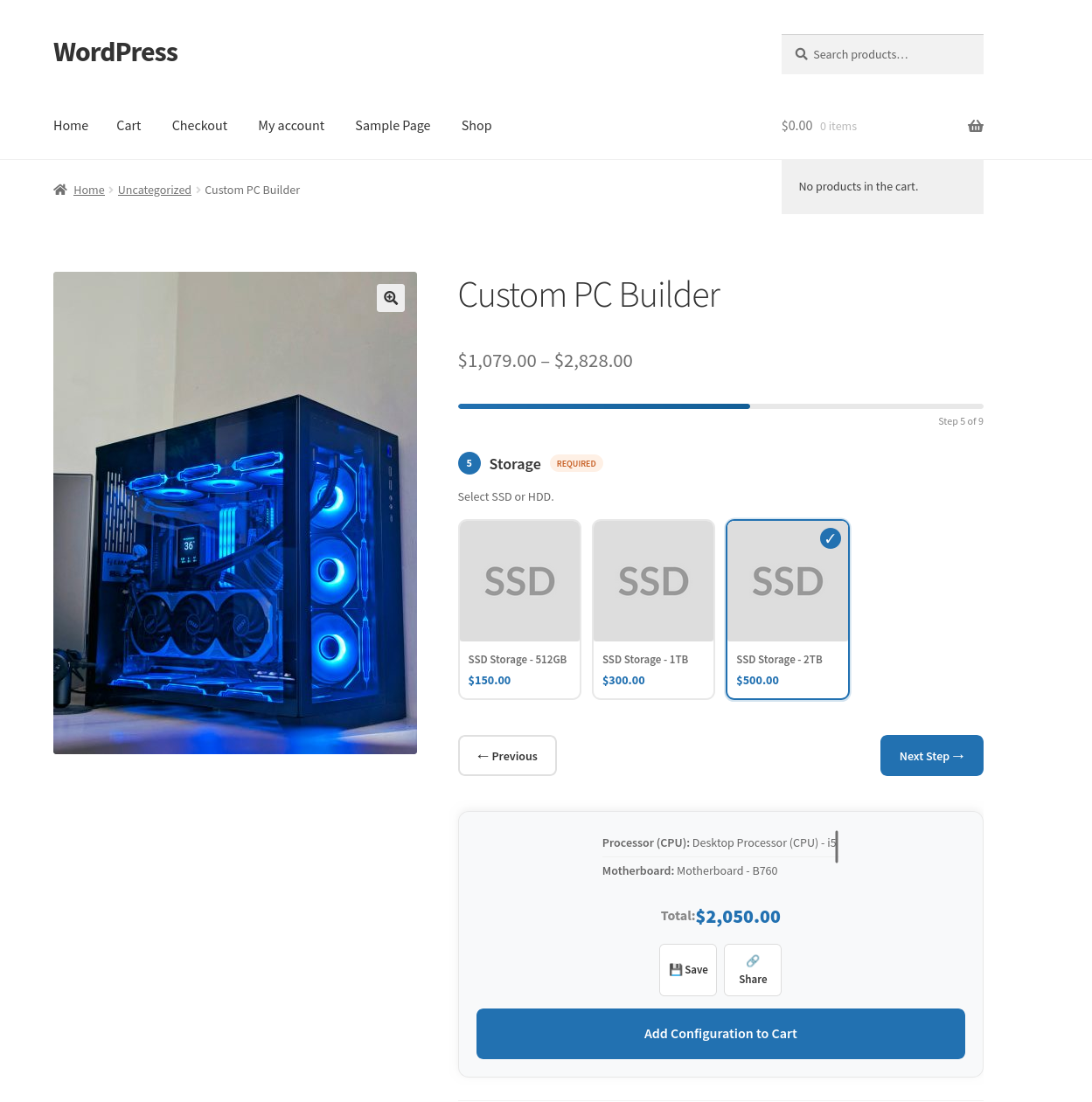
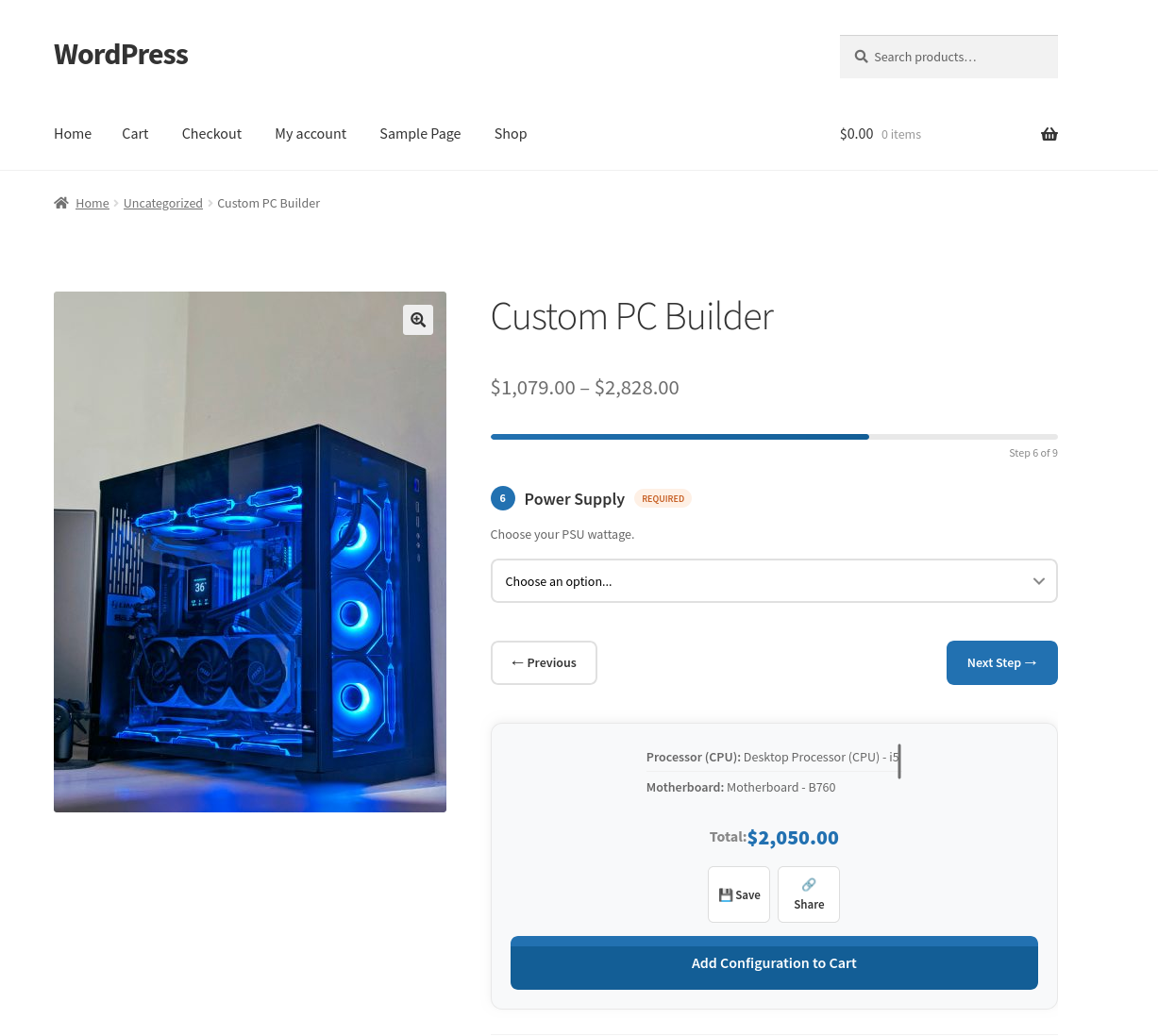
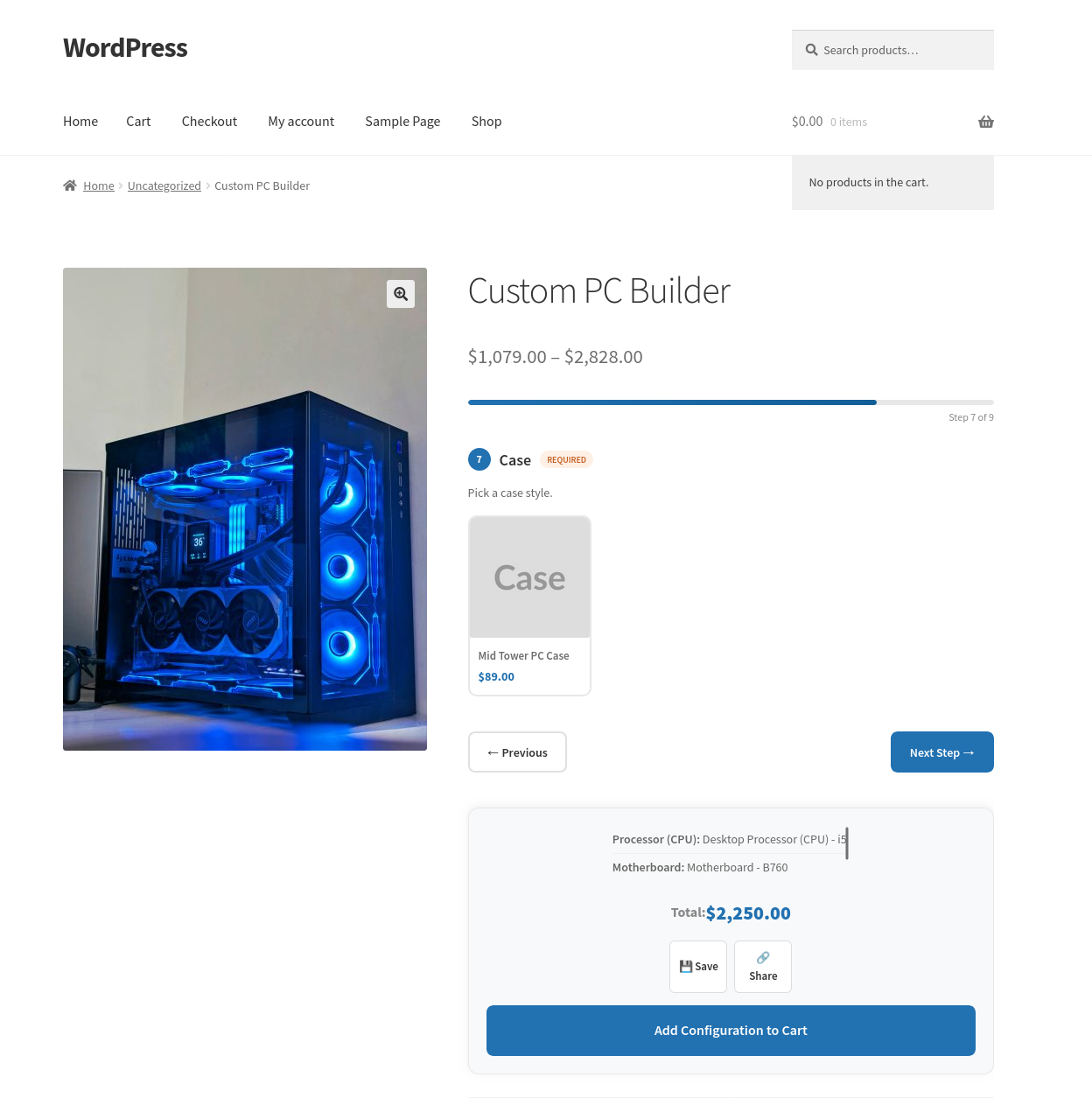
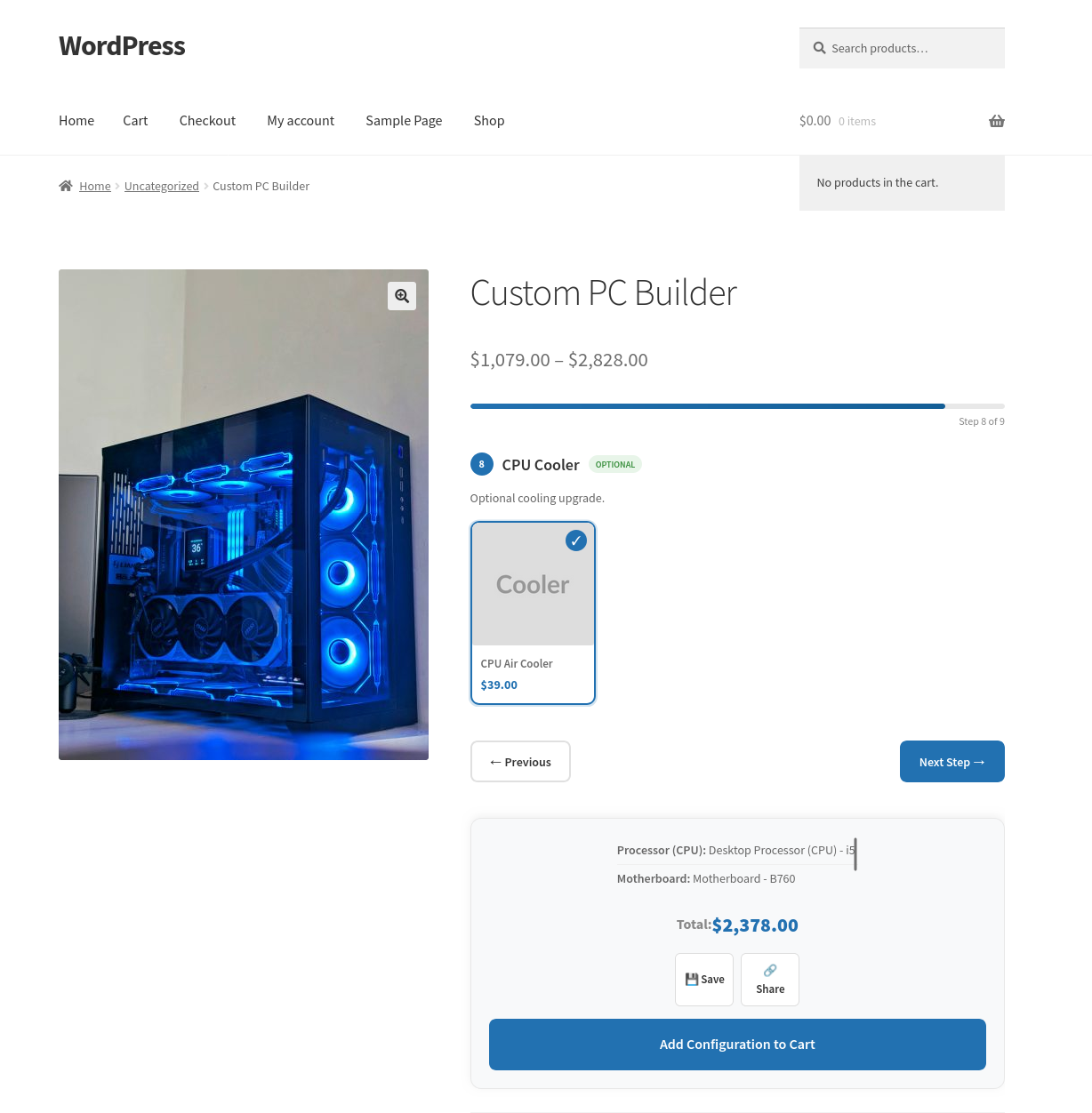
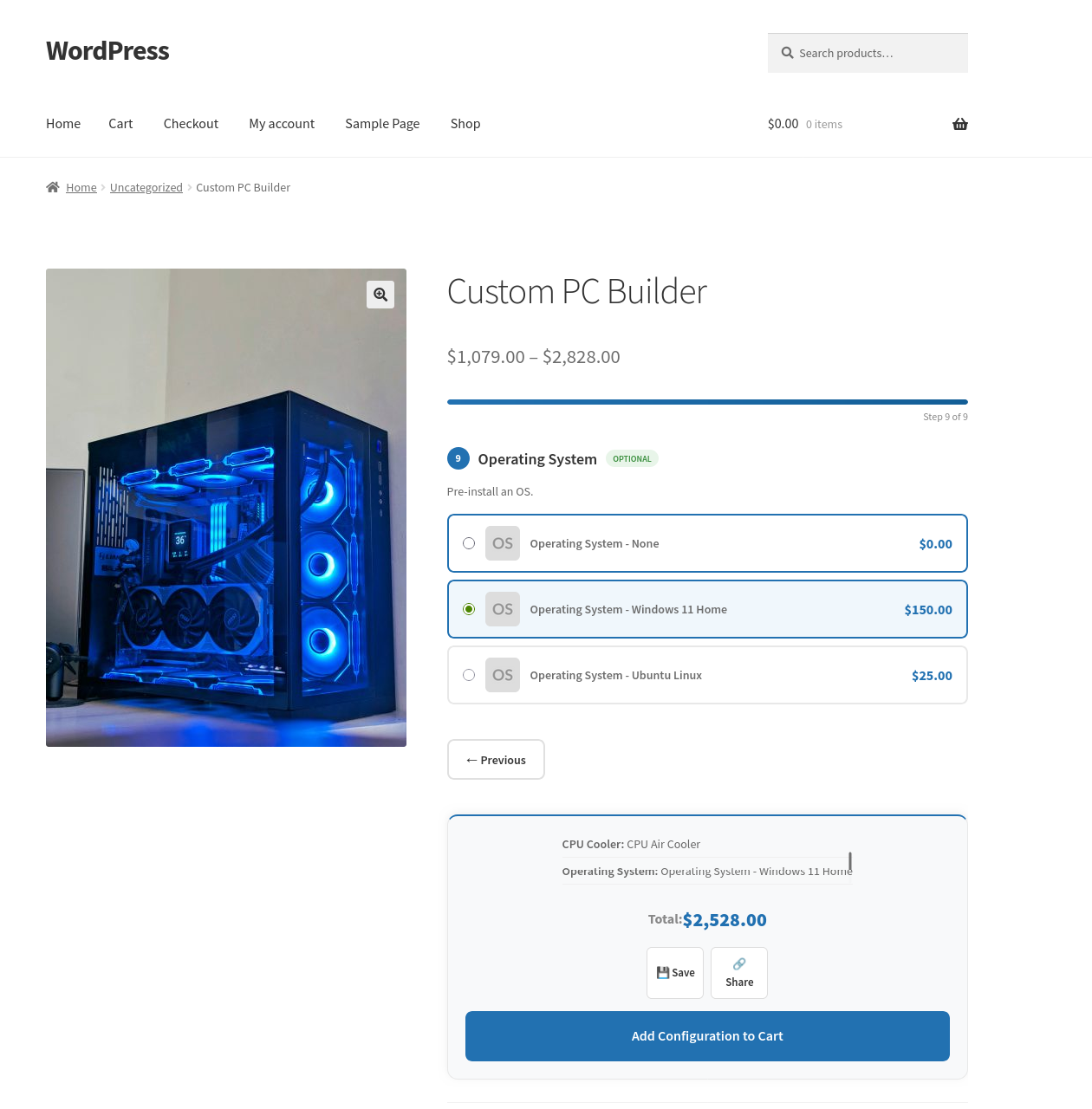
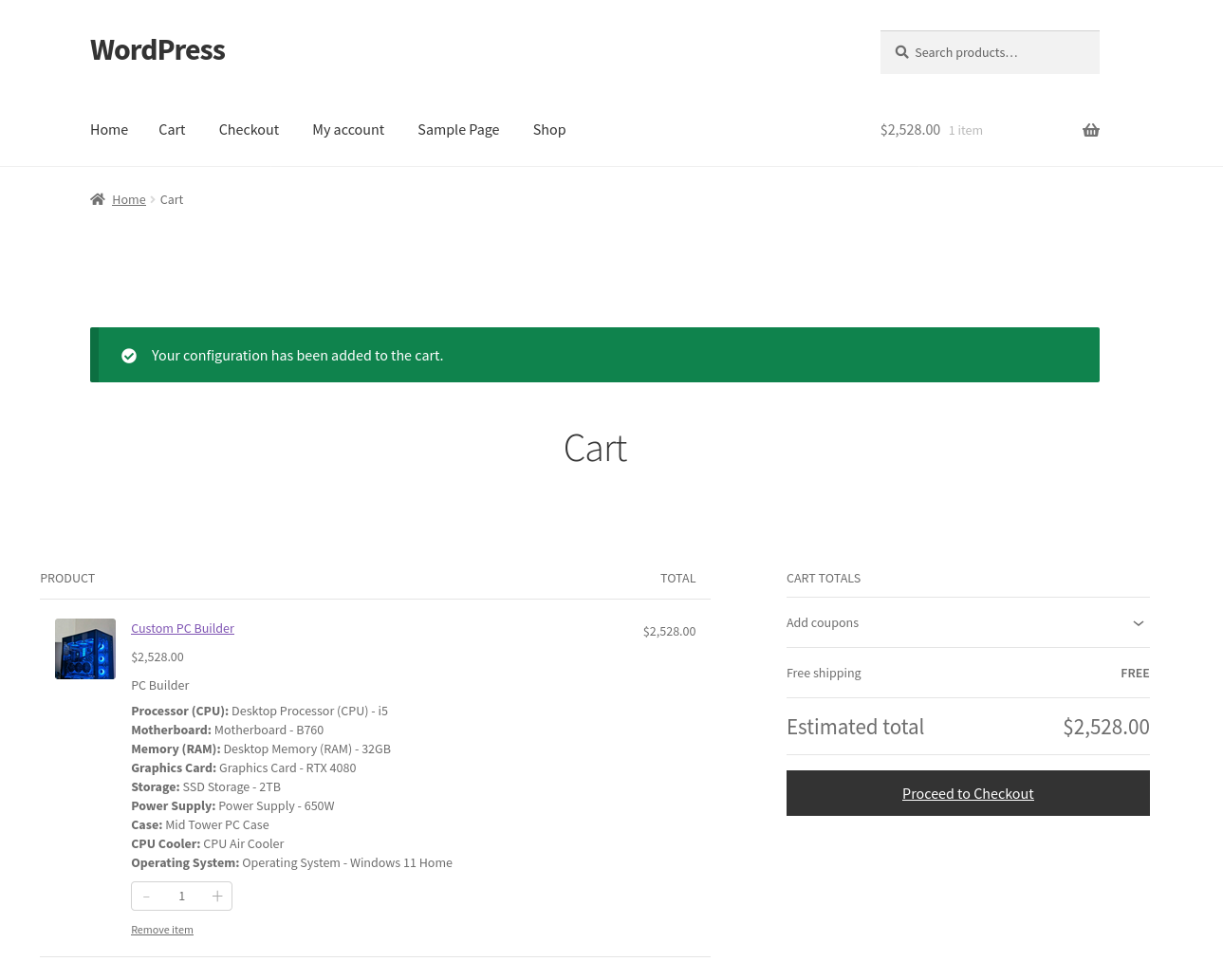
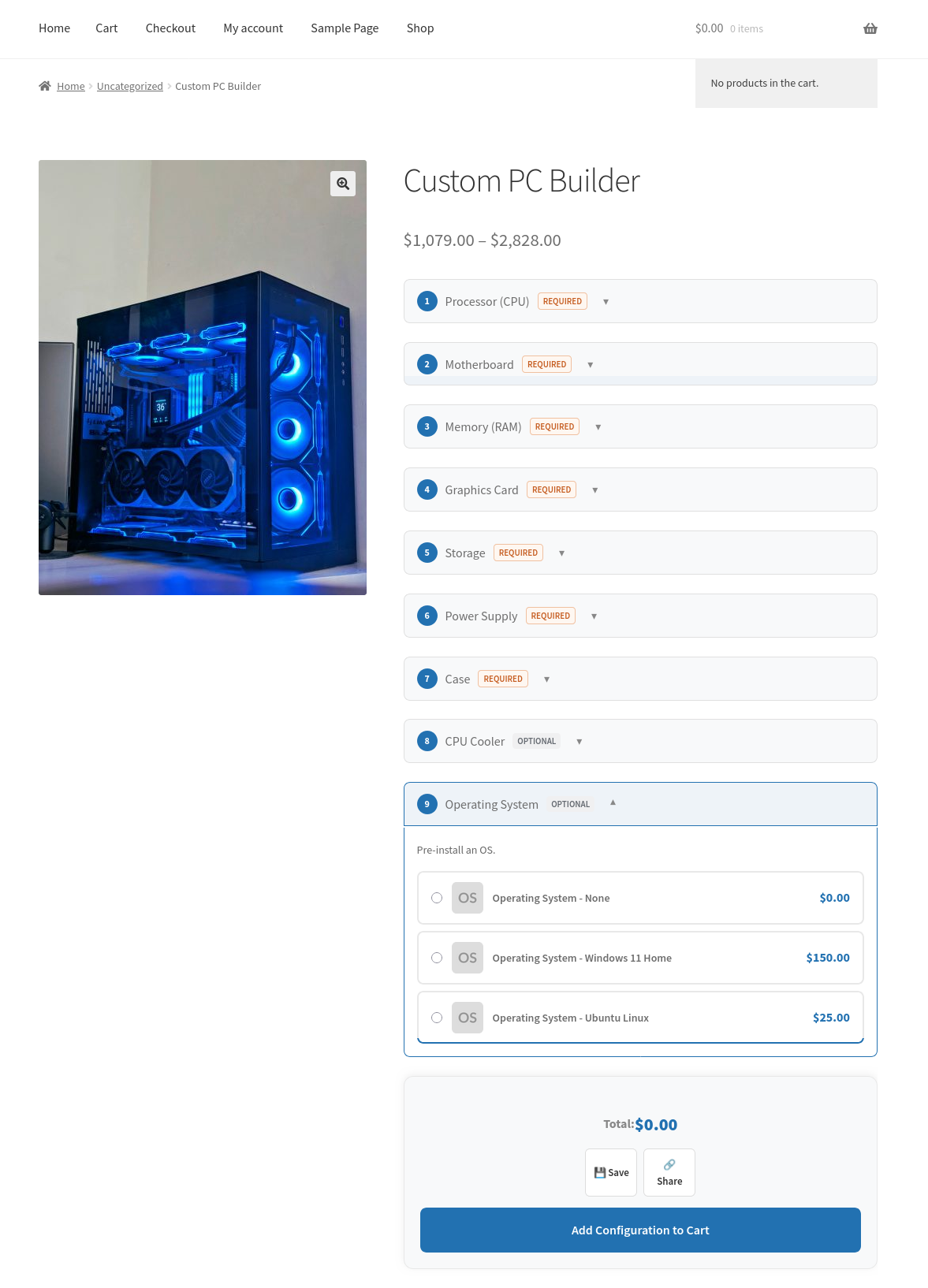
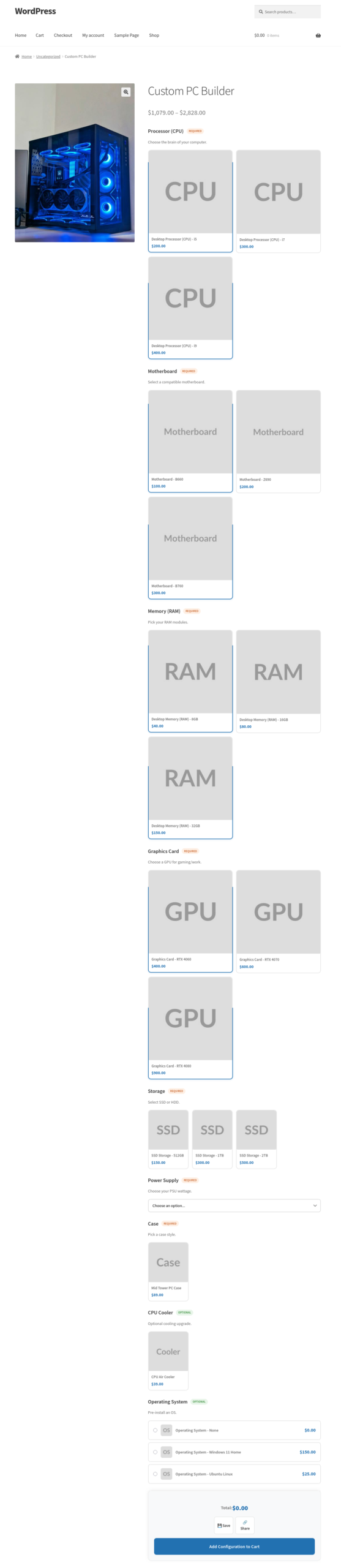
Another example: a computer builder. You create components for the processor, RAM, storage, and case. You add the relevant products to each component. The customer configures their machine, sees the total update live as they make selections, and adds it to the cart in one click.
The Problem It Solves
WooCommerce by itself handles variable products well, but variable products only work when the combinations are fixed and known in advance. As soon as you have more than two or three attributes, the number of variations explodes. Managing them becomes unworkable, and customers face a confusing wall of dropdowns.
This plugin takes a different approach. You define what the options are, not every possible combination. The customer assembles their own version, and the plugin tracks what they chose, prices it correctly, and sends the right information through to the order.
Who It Is For
This plugin suits any store that sells configurable or bundled products. That includes:
- Gift shops selling build-your-own hampers
- Food businesses selling meal kits or tasting boxes
- Electronics or PC stores selling custom builds
- Print shops offering personalised packs
- Subscription boxes where the customer picks the contents
It also suits stores that want to sell fixed bundles – a curated set of products sold together at one price, with no choices required from the customer. The bundle mode handles this.
What It Does in Practice
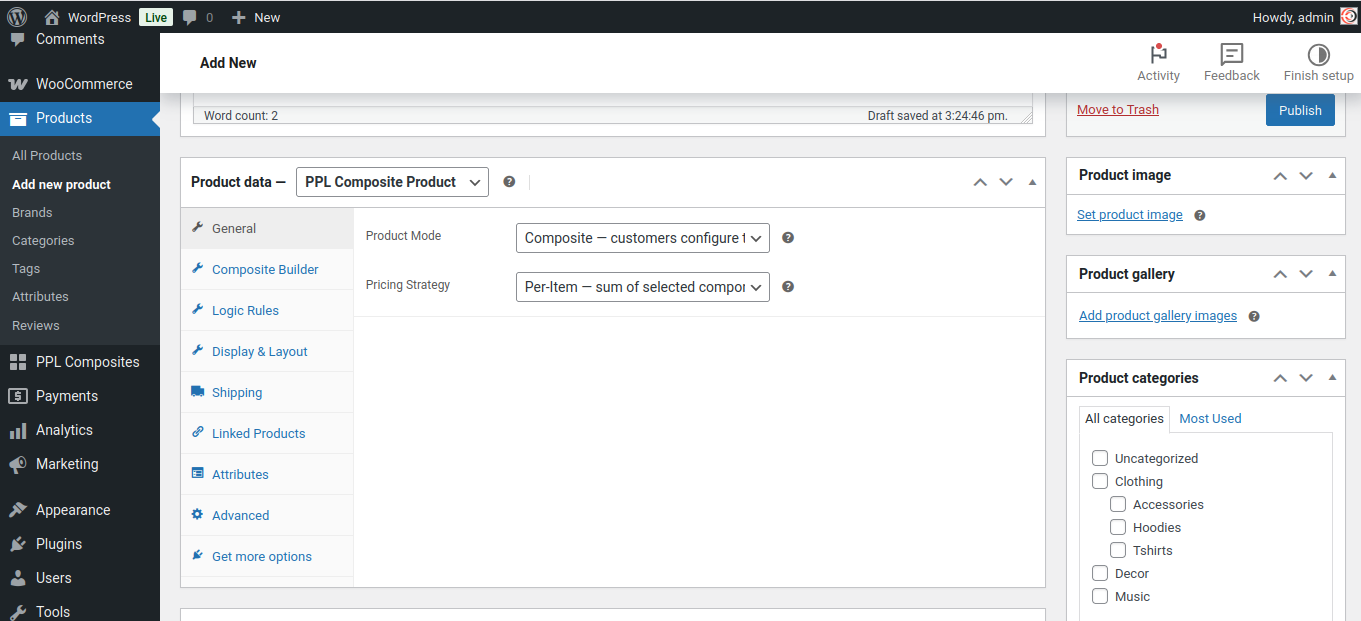
When you edit a product and set its type to Composite, a Builder tab appears. You add components, give each one a name and description, set whether it is required or optional, and search for the products that belong to it. You can set a minimum and maximum quantity per component, and apply a discount to all products in a component.
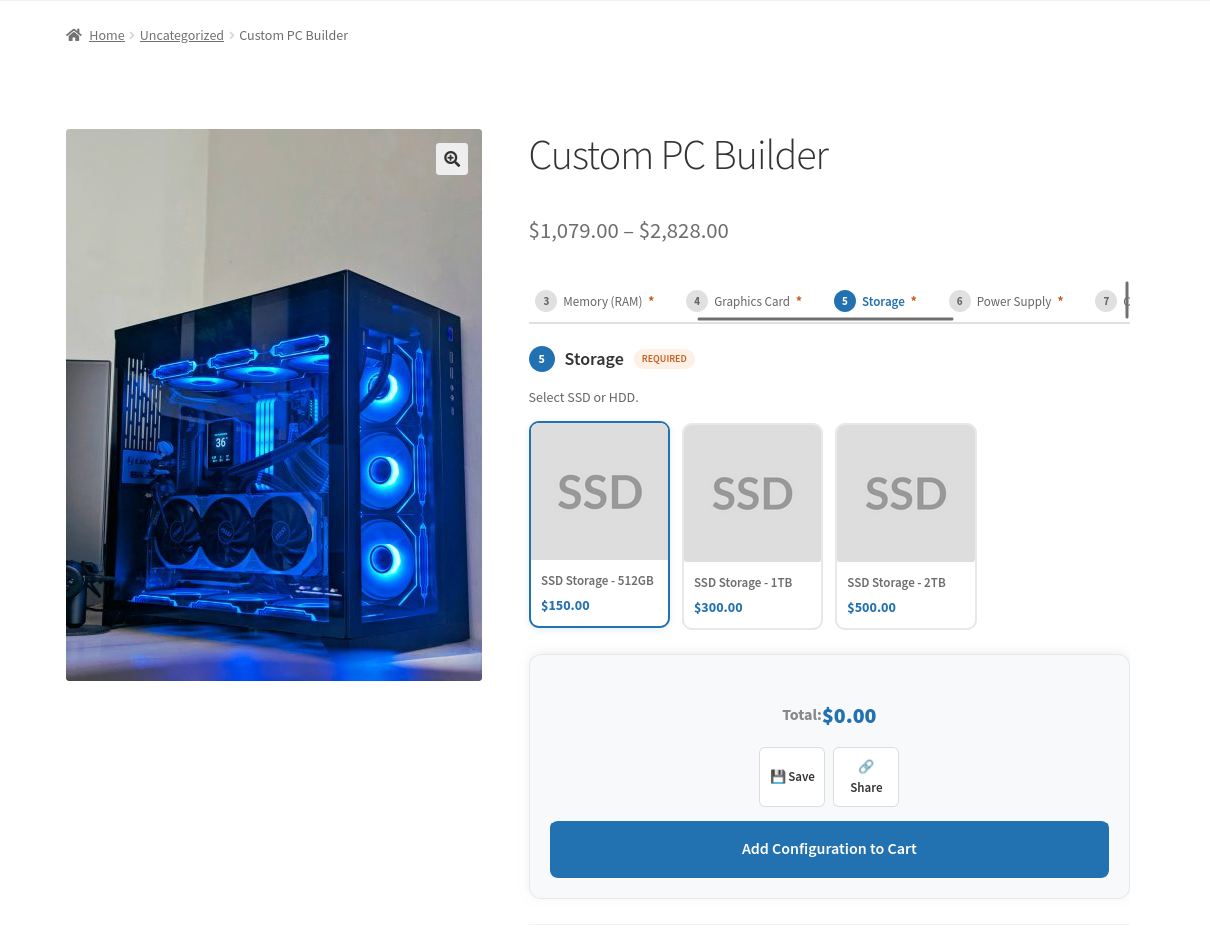
On the product page, the customer sees each component with the options laid out as thumbnails, cards, radio buttons, or a dropdown – your choice. As they select options, the total price updates live. When all required components are filled, they can add to cart.
In the order, each component selection is listed clearly – the customer sees what they chose, and you see it in the order details and in order emails.
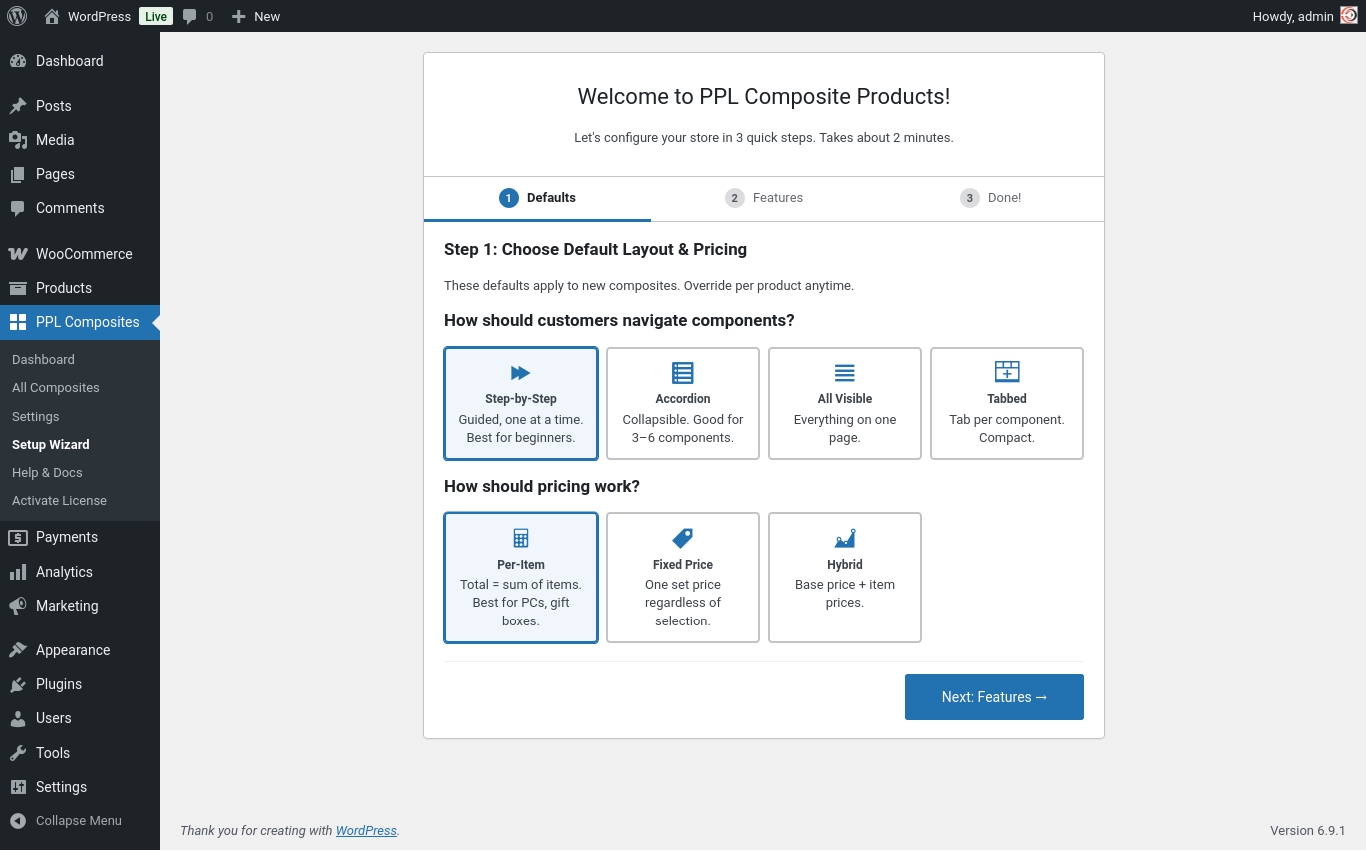
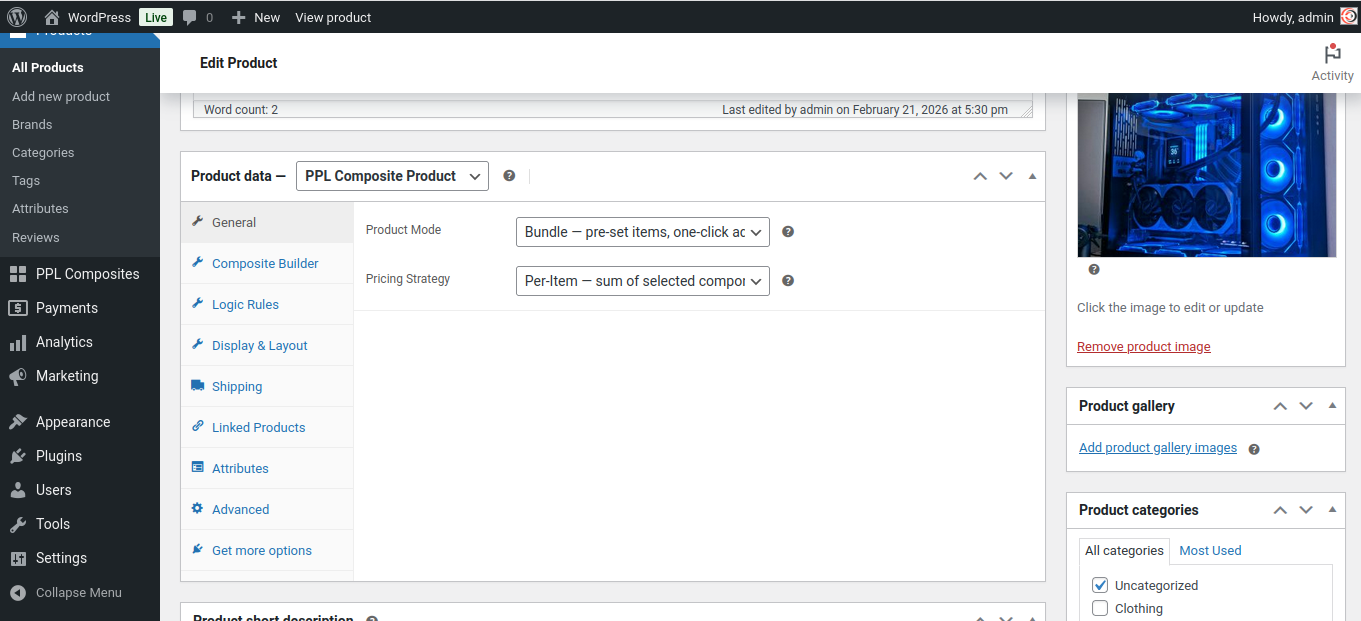
The General tab lets you choose a pricing strategy:
- Per-item: Total is the sum of selected products.
- Fixed: One price regardless of selections.
- Hybrid: Base price plus selected items.
The Bundle Mode
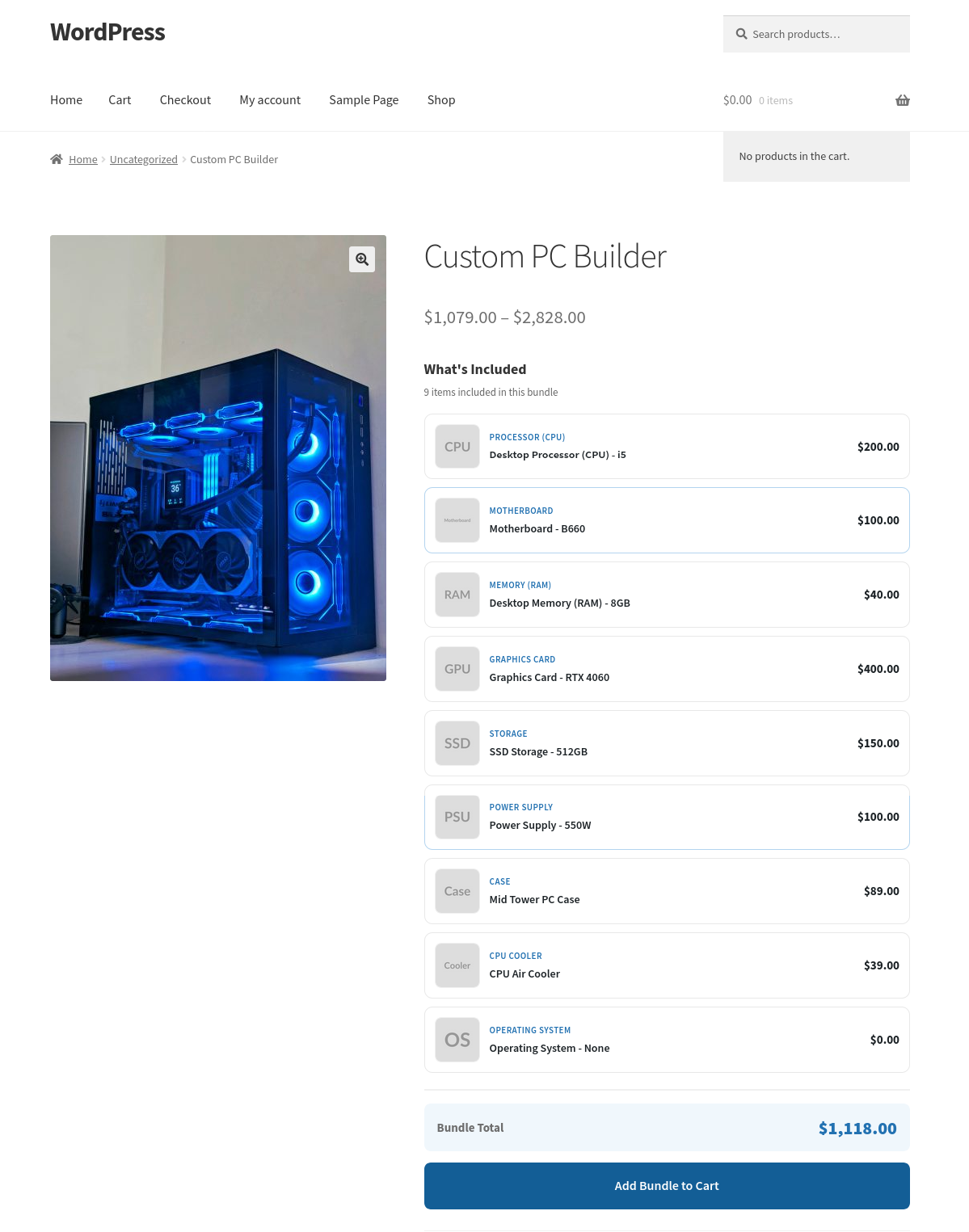
Bundle mode is a simpler version of the composite. You still use components and products, but the choices are made by you, not the customer. You pre-select one product per component, and the product page shows a clean list of what is included.
The customer sees the items, sees any savings, and adds the whole bundle to cart in one click. There are no choices to make.
This is useful for curated gift sets, starter packs, or any situation where you want to sell a group of products together at a combined price.
Logic Rules
The Logic Rules tab lets you create conditional rules between components. For example, if the customer selects a particular product in one component, you can automatically show, hide, require, or lock another component. This allows you to build guided configuration flows where the options presented adapt to what the customer has already chosen.
Display and Layout
The Display and Layout tab controls how the composite form looks on the product page. You can choose a stacked layout or a stepped layout where the customer moves through one component at a time. You can show or hide the price summary, choose whether to show a component progress indicator, and control whether component titles and descriptions are displayed.
Each component also has its own display style setting. You can use thumbnails, cards with descriptions, a simple list of radio buttons, or a compact dropdown. Different components on the same product can use different styles.
Changelog
v1.1.0
Admin
* Added: Product search in the Composite Builder now matches SKUs (simple products, variable products and individual variations).
* Added: SKU is shown next to the product name in the builder search results.
* Added: Bundle mode now shows only the settings that apply to bundles. “Required” becomes “Always Included” (untick to let customers remove the item), “Minimum Quantity” becomes “Quantity”, and quantity limits/controls carry over to the bundle page.
* Added: Explanatory notice in the Composite Builder when Bundle mode is active.
* Fixed: Option Display Style, Logic Rules tab and Display & Layout tab are hidden in Bundle mode – they only apply to configurable composites.
Bundles
* Added: Optional bundle items can be unticked by the customer on the product page, with the bundle total updating live.
* Added: Per-item +/- quantity controls on the bundle page when “Customer Can Change Quantity” is enabled.
* Fixed: Bundle price on the product and shop pages now shows the single bundle total instead of a min-max range when a component is optional.
* Fixed: Optional out-of-stock items no longer block the whole bundle from being added to cart – they are excluded automatically. Required out-of-stock items still block purchase.
Pricing
* Fixed: Shop/archive pages showed 0 for bundles (and composites) on block themes and via the Store API – the price is now calculated dynamically.
* Fixed: Price sorting and price filter widgets treated composites/bundles as free products – the calculated price is now saved on product save.
Composite product page
* Added: Clicking the selected option again now unselects it on optional components (thumbnails, cards and radio styles).
* Fixed: Logic rule “hide selected options” (filter_hide) never worked due to a coding error.
* Fixed: Filter rules now apply to radio and dropdown display styles, not only card layouts.
* Fixed: Selections made impossible by logic rules (hidden component or filtered option) are cleared instead of being charged and submitted.
* Fixed: Logic rules now run on page load; components targeted by a “show” rule start hidden until triggered.
* Fixed: Logic rules broke the Step-by-Step and Tabbed layouts by revealing all components at once.
* Fixed: Step navigation and tab buttons now skip components hidden by logic rules.
* Fixed: A required component hidden by a logic rule no longer blocks add to cart with “Please select an option”.
Cart
* Fixed: Add to cart now respects the WooCommerce “Redirect to the cart page after successful addition” setting instead of always redirecting, so mini/side carts (e.g. Elementor side cart) work.
* Added: Bundle-specific “added to cart” message.
General
* Code cleanup across the plugin.
v1.0.0
- Initial Release
Additional information
| License | Starter License, Growth License, Ultimate License |
|---|
Related products
Plugins
Name Your Price for WooCommerce
Let customers choose what they want to pay.Name Your Price for WooCommerce enables pay-what-you-want pricing with…
From
$49.00
$39.00
One-time
Plugins
Extra Fees for WooCommerce
Advanced conditional fees for WooCommerce. Add product, cart, checkout, shipping & payment fees with a guided…
From
$99.00
$49.00
One-time
Plugins
Gift Cards for WooCommerce
Gift Cards for WooCommerce is a complete gift card plugin with a live card designer, atomic…
From
$99.00
$49.00
One-time
Christmas Plugins
Christmas Snow for WordPress
$0.00
One-time